One Model, Every Mission
Runways, lighting, obstacles, safety zones and terrain are entered once. Every mission is planned and validated against that same model, so repeat inspections measure the same surveyed positions.
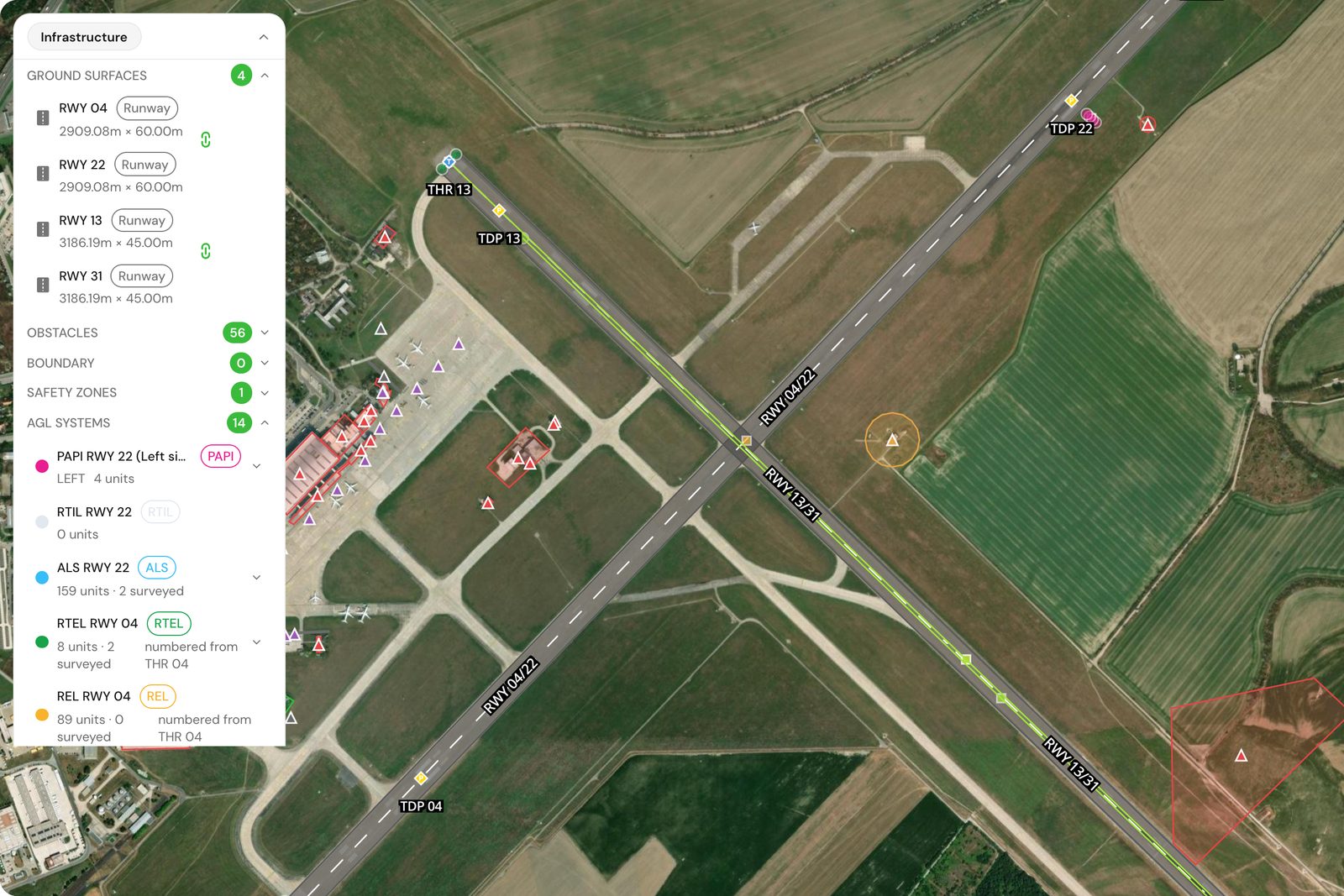
What the model holds
Everything a mission needs to know about your airfield, kept in one place.
- Runways and taxiways
Each surface has its designator, geometry, heading, length and width, thresholds and a keep-out buffer. Runways can also carry the published glide path angle.
- Airfield lighting systems
PAPI, runway edge, approach, threshold and end, touchdown zone, centreline and threshold identification lights, each belonging to a runway.
- Individual light units
PAPI units are recorded one by one with designator, position, setting angle, tolerance and lamp type, so each can be measured against its own record.
- Obstacles
Buildings, towers, antennas, vegetation and others, each with a height, a footprint and a keep-out buffer.
- Safety zones
CTR, restricted, prohibited and temporary no-fly zones with optional altitude floor and ceiling. Inactive zones stay on file but are ignored.
- Airport boundary
The airport boundary is stored as a zone, so missions can be checked against it.
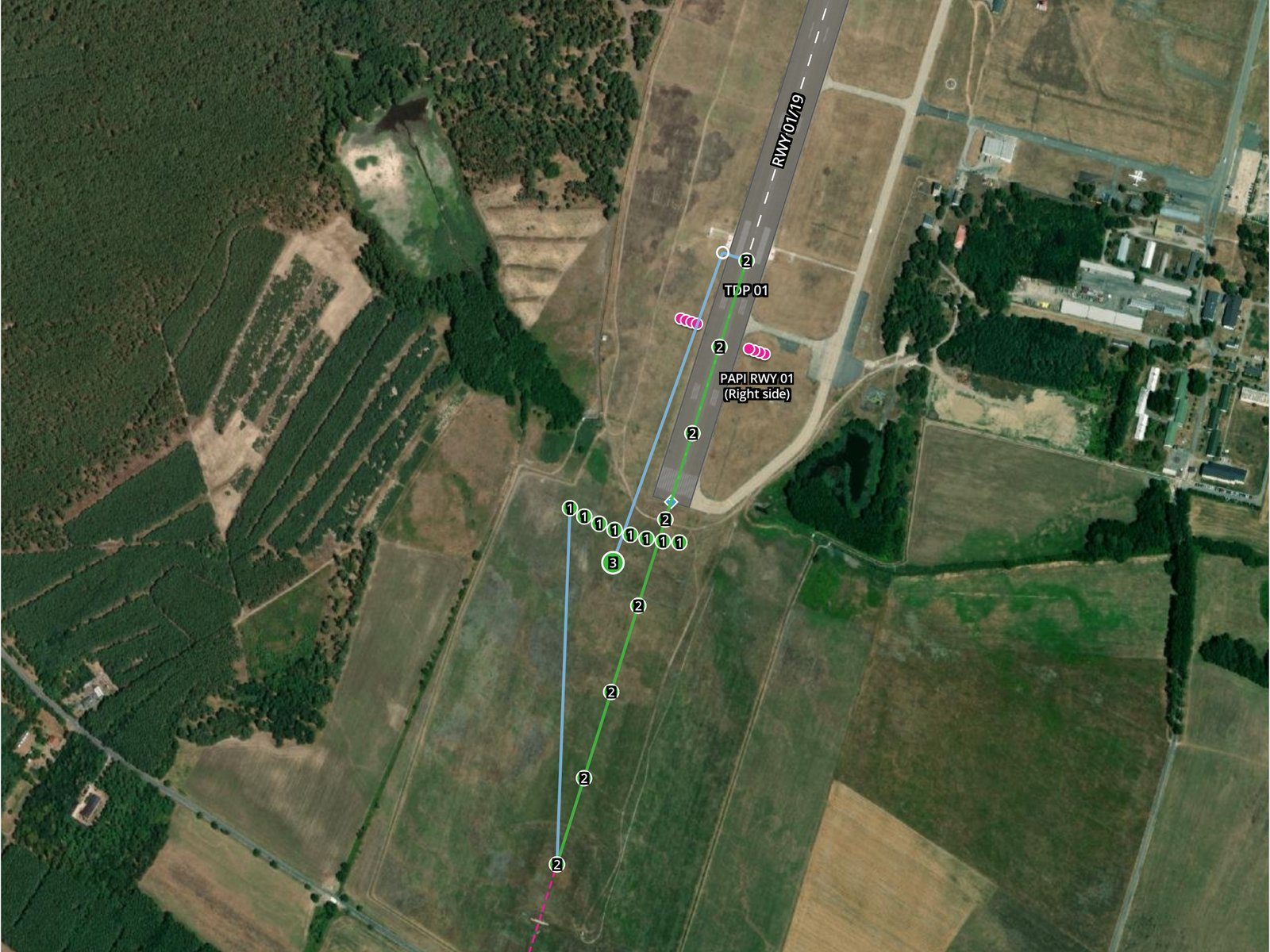
Reuse
Why one model serves every mission
The model is the single source for both trajectory generation and validation. Plan a PAPI check today and a surface scan next month, and both read the same runway, the same obstacles and the same light positions.
- Repeat inspections line up.
- Every visit targets the same recorded positions, which keeps results comparable from one inspection to the next.
- Obstacles and zones reach the planner.
- The planner routes around obstacles and zones, and validation checks the finished plan against them again.
- Fix it once.
- Correct an obstacle height or a light position in the model and every later mission uses the corrected value.
How the model is built
Start from public data, then replace it with your own records.
- Lookup by ICAO code
Enter the ICAO code and TarmacView can suggest runways, airspaces and obstacles within a search radius from OpenAIP. You review the preview before anything is created.
- Entered and corrected by you
Surveyed positions, heights and light units are entered or edited in the app. Each altitude records where it came from, such as the AIP, a survey report or an RTK photo reading.
- Terrain data
The airport is set to flat terrain or to a terrain source for elevations. The geoid undulation connects published sea level heights to the ellipsoidal heights used for flight.
Real captures from real inspections
Every picture below comes from an inspection we flew: drone frames, field photos and app screens. The brackets mark what the analysis reads.
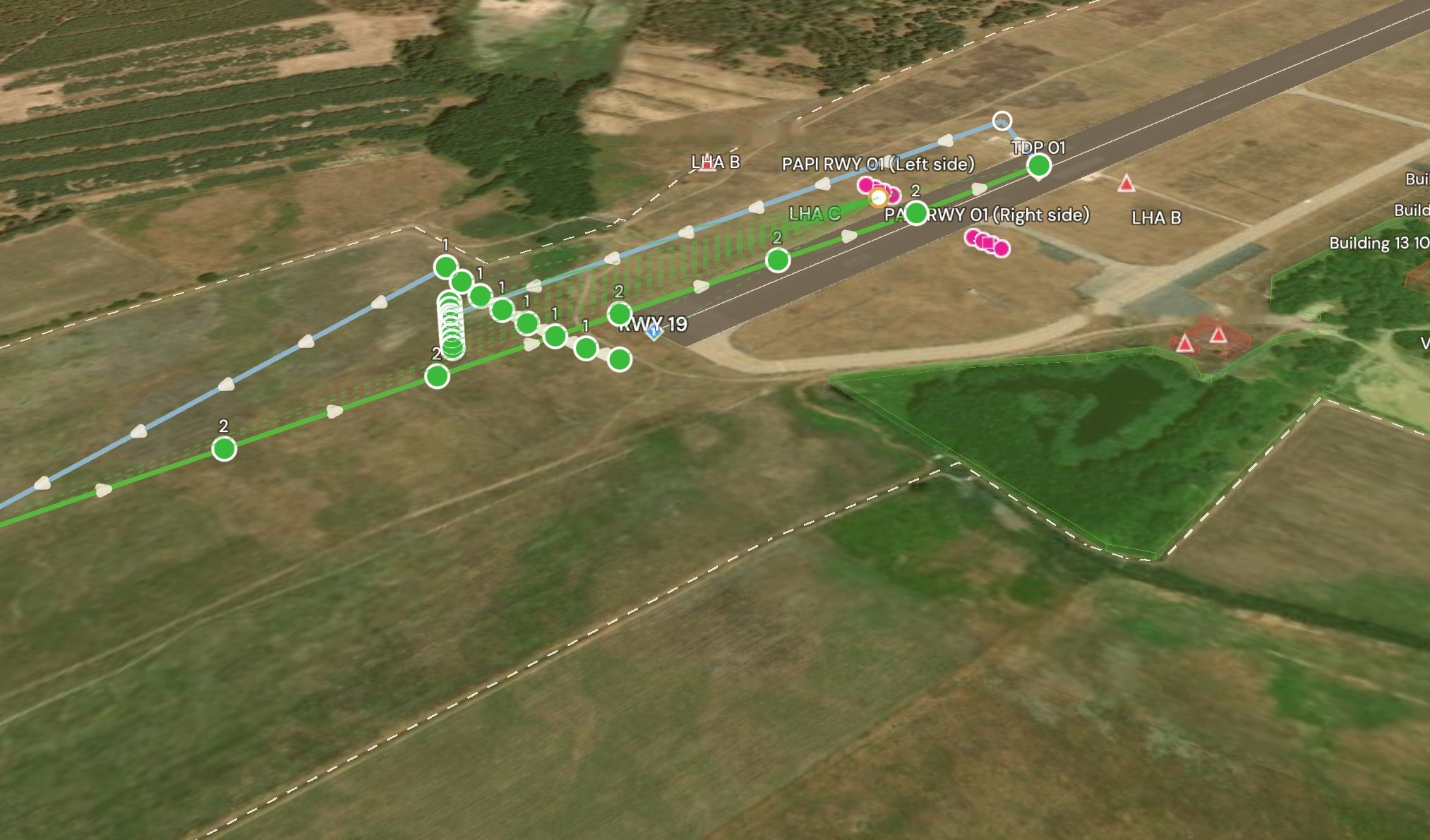
3D mission map, validated plan
App capture · 3D mission map · LZMC PAPI mission, 27 points.
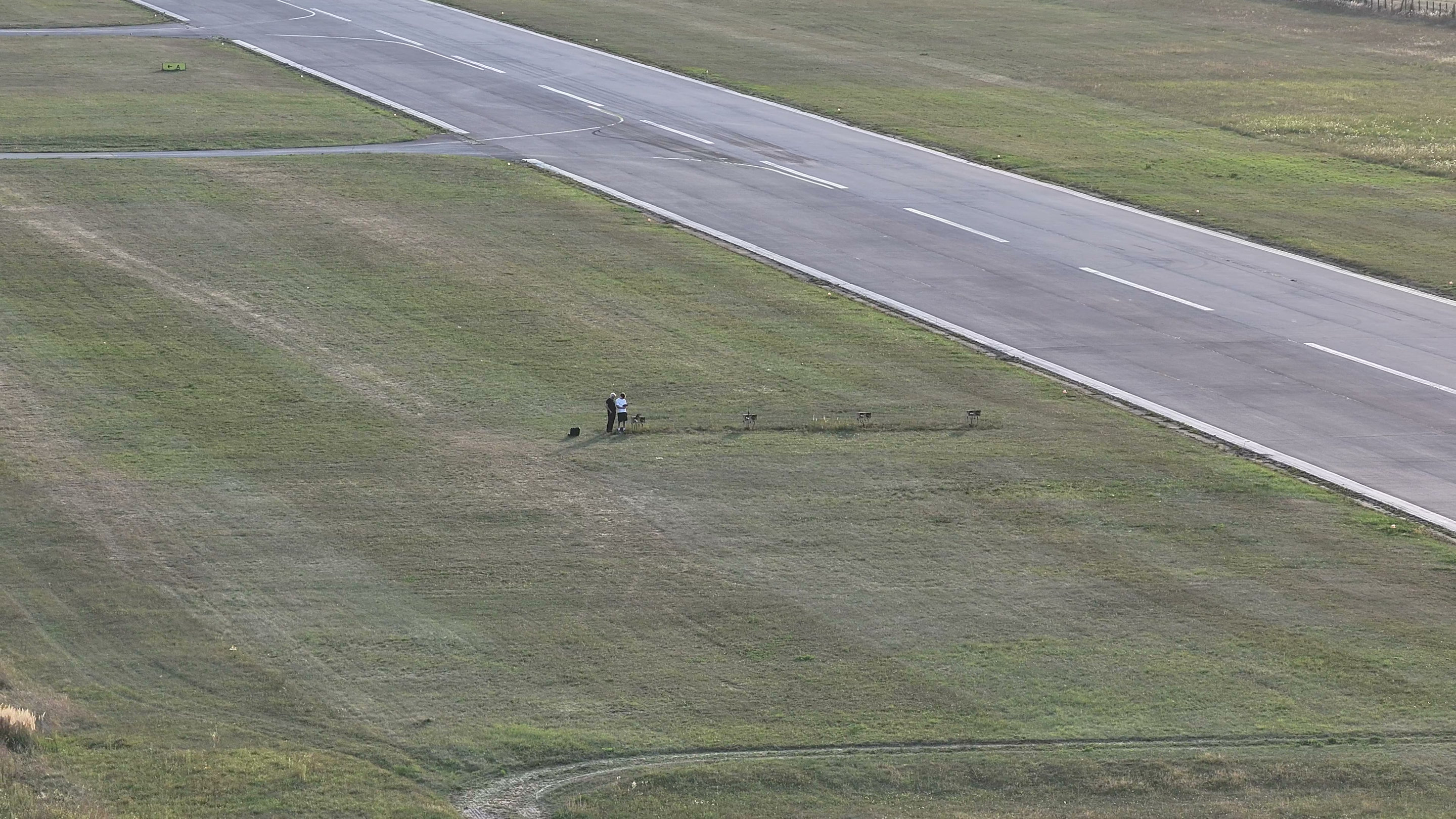
Down the runway axis
4K frame from a PAPI flight on 9 Sep 2026, downscaled to 2880 px.
Airport or Aviation Maintenance Professional?
We are building network of partners to revolutionize airport maintenance with cutting-edge technology.