Checked Before It Flies
Before a mission can be exported, its trajectory is checked against the airport model and the drone profile. Hard failures and soft warnings are listed by waypoint, and nothing leaves the planner until an operator approves it.
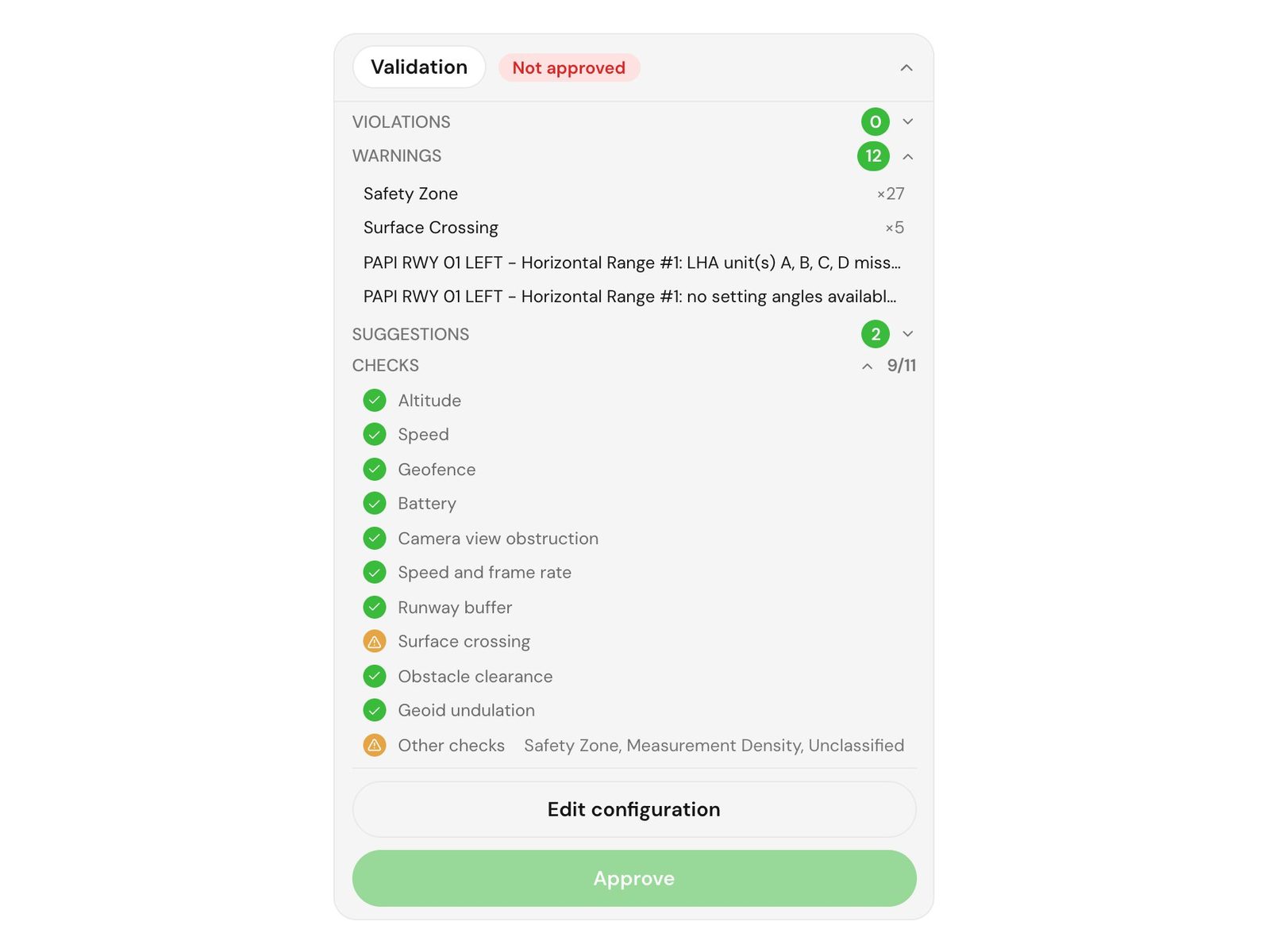
Validation step
A gate between the plan and the drone
Once a trajectory is generated, TarmacView validates it against the same airport model it was planned from and against the limits of the selected drone. The result is a list of findings, each tied to the waypoints it concerns, so you see exactly where a plan needs attention rather than a single pass or fail.
- Findings per waypoint.
- Each violation, warning or suggestion carries the waypoints it refers to, so you can jump to the spot on the map.
- Revalidate on demand.
- After you edit the plan, run validation again to check it against the current model.
- Approval is a deliberate step.
- A planned mission is approved by an operator. Only an approved mission can be exported.
What is checked
Hard checks mark a plan as unsafe. Soft checks flag something for the operator to review.
- Obstacle clearance
A waypoint inside an obstacle's footprint, plus its keep-out buffer, at a height below its top is a hard violation.
- Safety zones
Waypoints inside a prohibited or temporary no-fly zone are hard violations. Other zone types are reported as warnings.
- Geofence
Operator geofence rules flag any waypoint outside the boundary. A waypoint outside the airport boundary is reported as a warning.
- Altitude
Minimum and maximum altitude rules set on the mission are checked at every waypoint.
- Speed
Each waypoint speed is compared with the drone's maximum speed and with any speed limit set on the mission.
- Runway buffer
Waypoints within the configured lateral distance of a runway centreline are flagged.
- Camera view obstruction
On PAPI passes, a waypoint whose line of sight to the target is blocked is a hard violation.
- Battery
Estimated flight time is compared with the drone's endurance less a reserve margin. If the profile has no endurance figure, the check says it was skipped.
- Surface crossing
Route segments that cross a runway or taxiway are reported as warnings, including how long the crossing is.
- Speed and frame rate
Measurement speed is checked against the capture settings, and an incompatible pairing is raised as a warning.
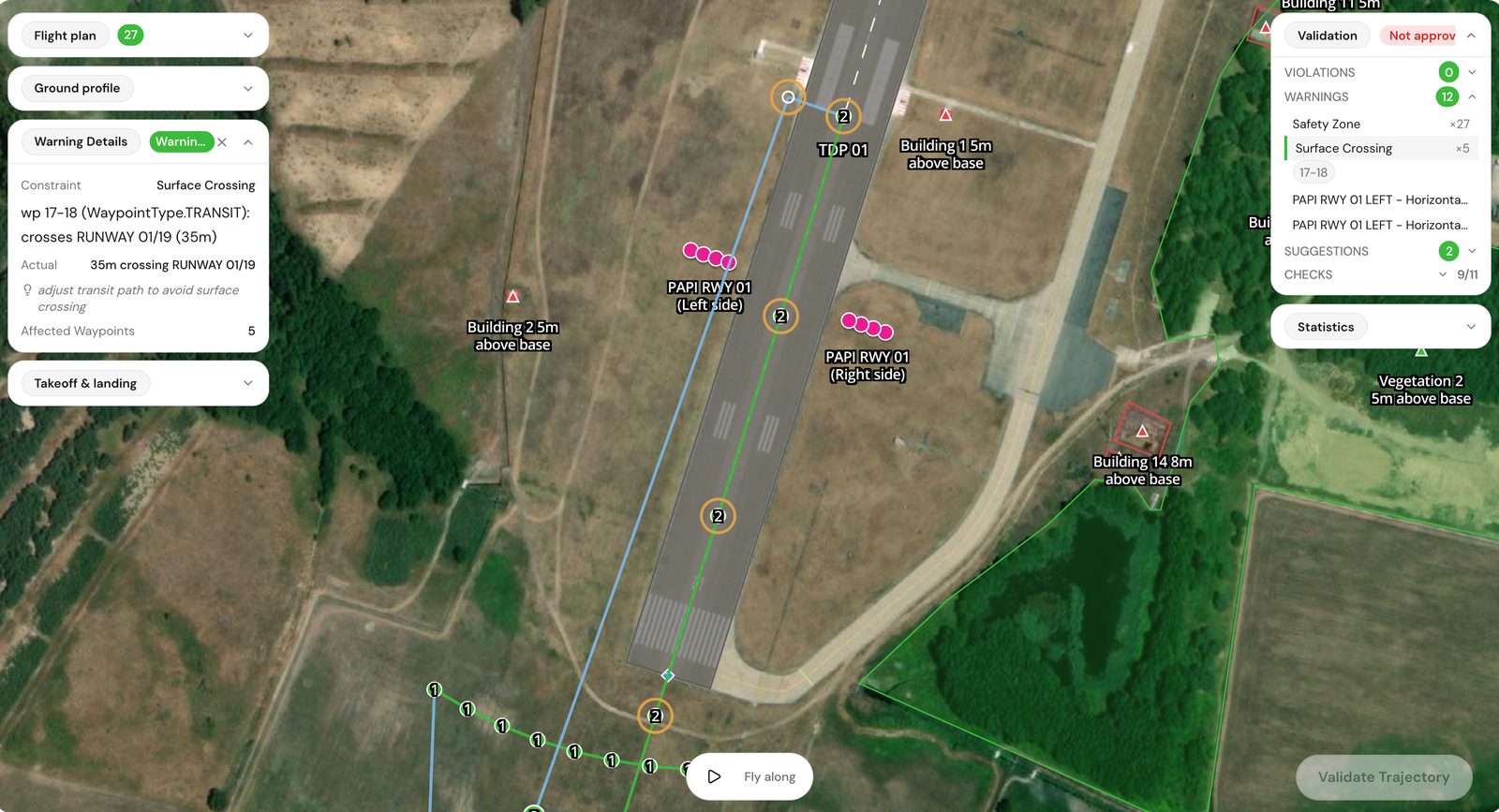
Findings
Violation, warning or suggestion
Findings fall into three groups, and the group tells you what to do. Which group a check lands in depends on its type, and operator-defined constraint rules can be set as hard or soft.
- Violations.
- Hard failures such as a waypoint inside an obstacle or a prohibited zone. The plan is recorded as not passing and should be changed before you approve it.
- Warnings.
- Soft findings such as battery margin, a surface crossing or a plan with more than 500 waypoints. You decide whether they are acceptable for this flight.
- Suggestions.
- Advice that does not affect safety, for example that a procedure used default settings because no override was set.
Where it fits in the flow
Validation sits between planning and the aircraft.
- 1. Plan
The trajectory is generated from your airport model, the drone profile and the inspection procedures you chose.
- 2. Validate and approve
Review the findings, adjust the plan if needed and approve it. Export stays locked until the mission is approved.
- 3. Export and fly
Export to DJI KMZ for Pilot 2, or to other formats such as KML, WPML, MAVLink, GPX or CSV, then fly the mission.
Real captures from real inspections
Every picture below comes from an inspection we flew: drone frames, field photos and app screens. The brackets mark what the analysis reads.
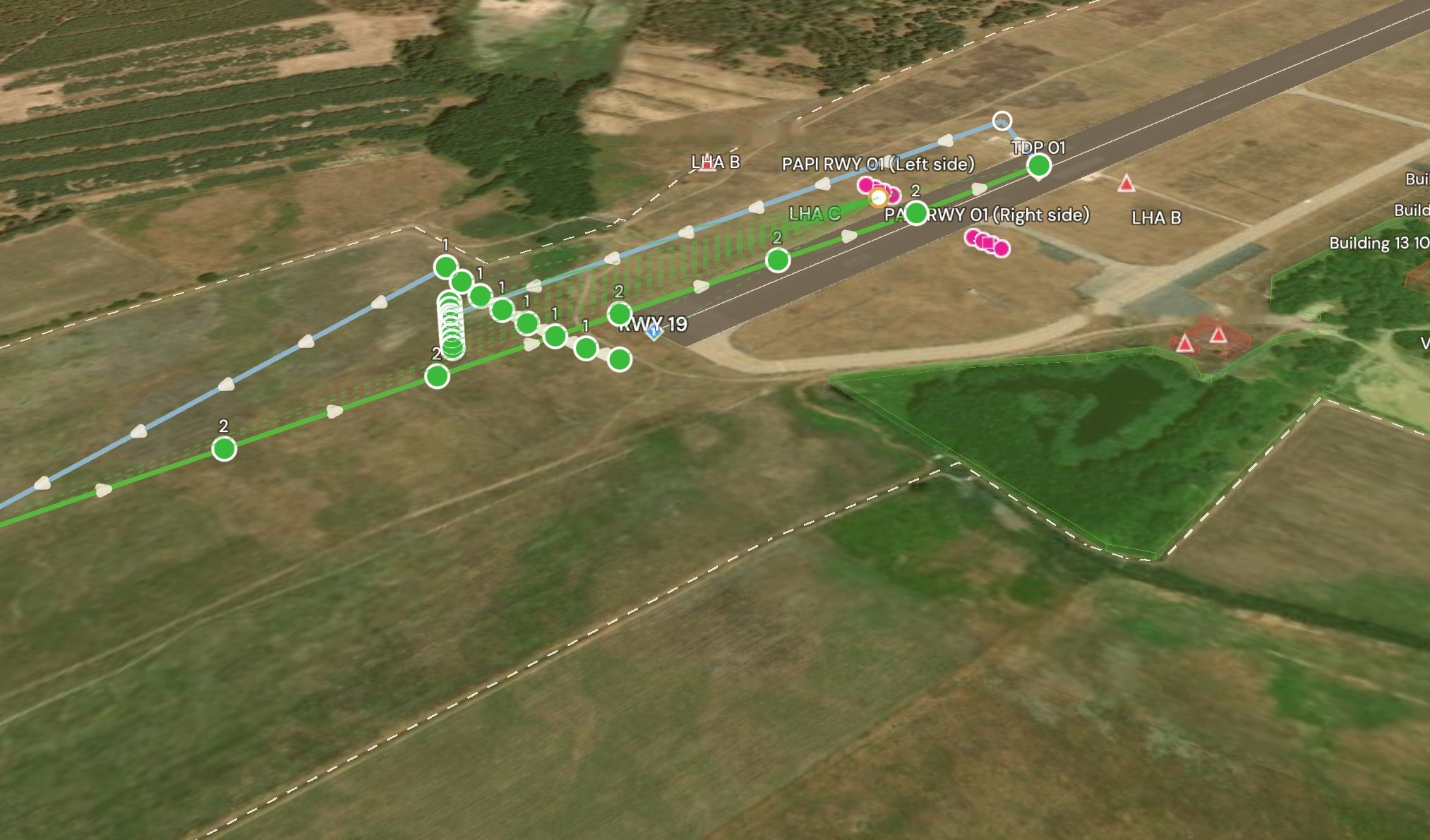
3D mission map, validated plan
App capture · 3D mission map · LZMC PAPI mission, 27 points.
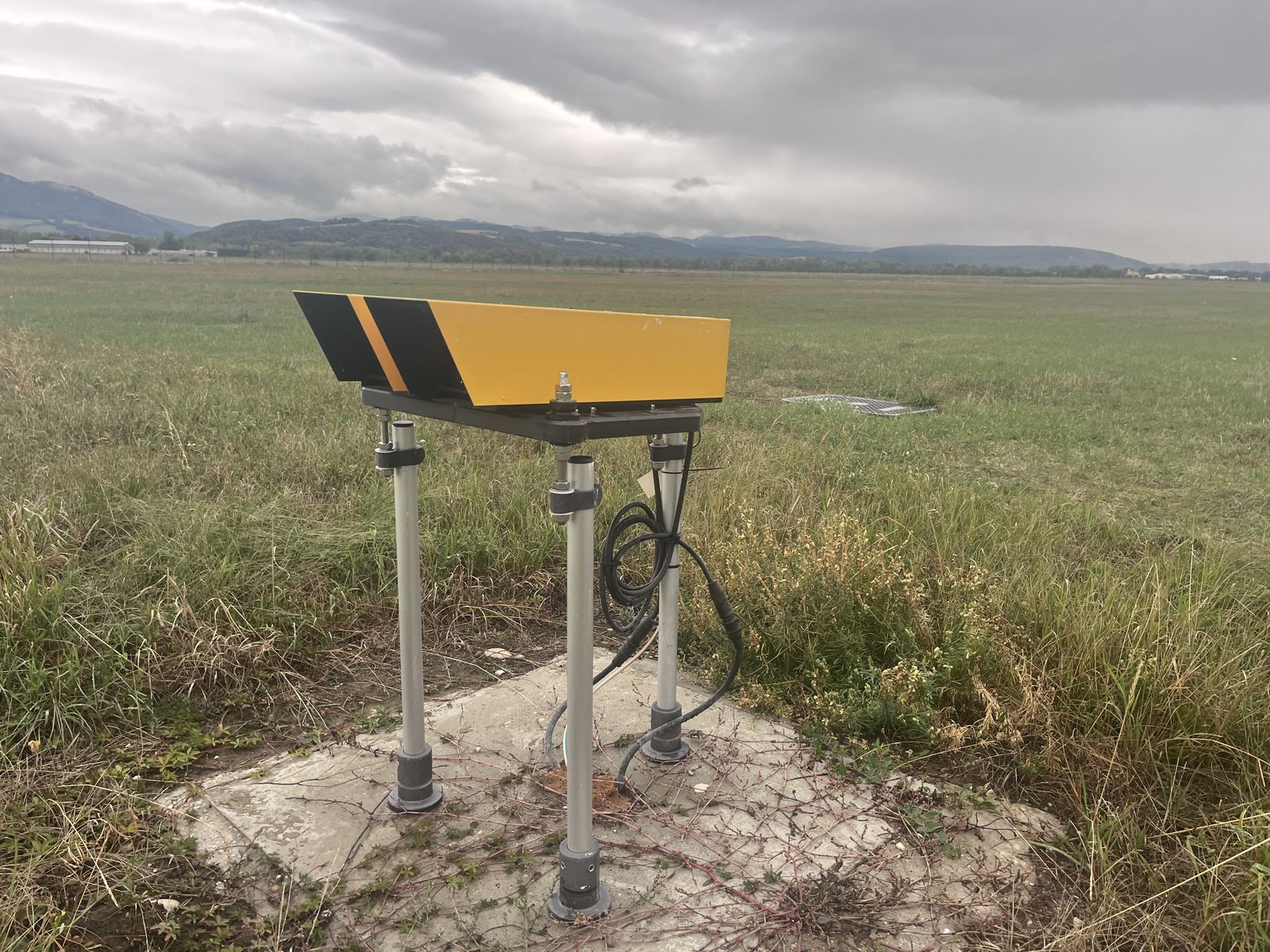
A PAPI unit in the field
Field photo of a single PAPI unit on its mount.
Airport or Aviation Maintenance Professional?
We are building network of partners to revolutionize airport maintenance with cutting-edge technology.