What is EXIF GPS Data?
EXIF GPS data is the standardized mechanism by which geographic location information is embedded into digital image and video files. Defined by the Japan Electronics and Information Technology Industries Association (JEITA) and maintained by the Camera & Imaging Products Association (CIPA) under standard CIPA DC-008 (Translation of the JEITA CP-3451), the EXIF specification reserves a dedicated subdirectory called the GPS Information Frame (GPS IFD) for storing satellite-based positioning data. This subdirectory is referenced by the main EXIF Image File Directory (IFD) through tag 0x8825 (Exif.Image.GPSTag), which contains a pointer to the start of the GPS IFD within the file. Every compliant EXIF reader, from operating system file properties dialogs to professional photogrammetry software, locates geographic data by following this pointer.
The GPS IFD contains up to 31 standardized tags (entries 0x0000 through 0x001f), each carrying a specific component of the geolocation record. These tags span version identification, hemisphere references, coordinate triplets, altitude values, UTC timestamps, satellite identifiers, receiver status indicators, measurement dimensionality, dilution of precision metrics, speed and track data, image direction, geodetic datum specification, destination point data, positioning method metadata, differential correction status, and horizontal error estimates. In practice, camera and smartphone manufacturers decide which subset of these tags to populate. Consumer smartphones typically write latitude, longitude, altitude, timestamp, and map datum. Drone manufacturers such as DJI, Autel, and Skydio often write additional tags including GPS status, measurement mode, dilution of precision (DOP), speed, track, and image direction. The presence or absence of specific GPS tags can serve as a diagnostic indicator of the capture device type and the quality of the satellite fix at the time of exposure. For example, the simultaneous presence of GPSStatus = A (Active), GPSMeasureMode = 3 (3-Dimensional), GPSDOP below 4, and GPSHPositioningError below 5 meters collectively indicates a high-quality GPS fix suitable for mapping-grade applications.
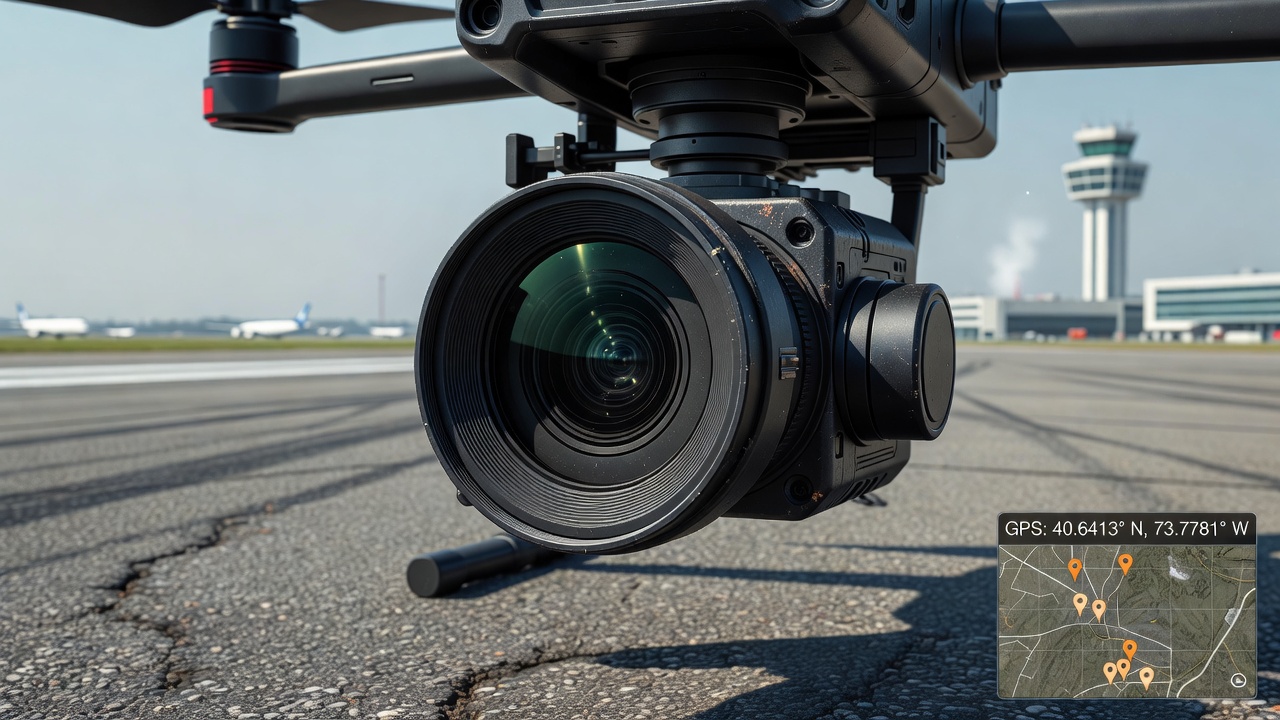
EXIF GPS Tags and Their Structure
The GPS IFD is organized as a sequential collection of 2-byte, 4-byte, and variable-length data fields following the standard TIFF IFD structure. Each tag entry in the GPS IFD consists of four components: the tag identifier (2 bytes, hex value), the data type (2 bytes, indicating whether the value is an unsigned byte, ASCII string, unsigned rational fraction, signed short integer, or other EXIF-defined type), the count (4 bytes, representing the number of data values), and the value offset (4 bytes, either the value itself if it fits in 4 bytes, or a pointer to the data elsewhere in the file if it exceeds 4 bytes). The tag identifier values for GPS data range from 0x0000 (GPSVersionID) through 0x001f (GPSHPositioningError). Each tag entry occupies exactly 12 bytes in the IFD, followed by the next tag entry, until a 4-byte terminator (zero value) signals the end of the IFD. The following table details the most commonly encountered GPS tags and their specifications as defined by the EXIF 2.3 and later standards:
| Hex | Dec | Tag Name | Type | Description |
|---|---|---|---|---|
| 0x0000 | 0 | GPSVersionID | unsigned BYTE[4] | Version identifier for the GPS IFD, typically 2 3 0 0 for EXIF 2.3 |
| 0x0001 | 1 | GPSLatitudeRef | ASCII[2] | Latitude hemisphere: N (North) or S (South) |
| 0x0002 | 2 | GPSLatitude | RATIONAL[3] | Latitude as three unsigned rational numbers: degrees, minutes, seconds |
| 0x0003 | 3 | GPSLongitudeRef | ASCII[2] | Longitude hemisphere: E (East) or W (West) |
| 0x0004 | 4 | GPSLongitude | RATIONAL[3] | Longitude as three unsigned rational numbers: degrees, minutes, seconds |
| 0x0005 | 5 | GPSAltitudeRef | BYTE | Altitude reference: 0 = Above Sea Level, 1 = Below Sea Level |
| 0x0006 | 6 | GPSAltitude | RATIONAL | Altitude value in meters as a single unsigned rational |
| 0x0007 | 7 | GPSTimeStamp | RATIONAL[3] | UTC time of GPS fix: hours, minutes, seconds (each as rational) |
| 0x0008 | 8 | GPSSatellites | ASCII | Satellite identifiers used for the fix (e.g. "08", "05,12,23") |
| 0x0009 | 9 | GPSStatus | ASCII[2] | Receiver status: A = Active (measurement in progress), V = Void |
| 0x000a | 10 | GPSMeasureMode | ASCII[2] | Fix dimension: 2 = 2-Dimensional, 3 = 3-Dimensional |
| 0x000b | 11 | GPSDOP | RATIONAL | Dilution of Precision, quantitative GPS quality metric |
| 0x000c | 12 | GPSSpeedRef | ASCII[2] | Speed unit: K = km/h, M = mph, N = knots |
| 0x000d | 13 | GPSSpeed | RATIONAL | Speed of GPS receiver movement |
| 0x000e | 14 | GPSTrackRef | ASCII[2] | Track reference: M = Magnetic North, T = True North |
| 0x000f | 15 | GPSTrack | RATIONAL | Direction of movement in degrees from north |
| 0x0010 | 16 | GPSImgDirectionRef | ASCII[2] | Image direction reference: M = Magnetic, T = True |
| 0x0011 | 17 | GPSImgDirection | RATIONAL | Direction the camera pointed (degrees from north) |
| 0x0012 | 18 | GPSMapDatum | ASCII | Geodetic survey datum name, typically "WGS-84" |
| 0x0013–0x001a | 19–26 | GPSDest* | Various | Destination point tags (latitude, longitude, bearing, distance) |
| 0x001b | 27 | GPSProcessingMethod | UNDEFINED | Positioning method: "GPS", "CELLID", "WLAN", "MANUAL" |
| 0x001d | 29 | GPSDateStamp | ASCII[11] | UTC date of GPS fix in YYYY:MM:DD format |
| 0x001e | 30 | GPSDifferential | SHORT | Differential correction status: 0 = none, 1 = differential applied |
| 0x001f | 31 | GPSHPositioningError | RATIONAL | Horizontal positioning error in meters |
The GPSVersionID tag (0x0000) always appears as the first entry in the GPS IFD and serves as a consistency check for parsers. It contains four unsigned byte values: the first two indicate the major and minor standard version, the third indicates the revision, and the fourth is reserved. For EXIF 2.3 (the most widely implemented version as of 2025), the value is 2, 3, 0, 0. EXIF 3.0, released by CIPA in 2023, updates this to 3, 0, 0, 0 and adds support for multi-constellation GNSS (GPS, GLONASS, Galileo, BeiDou, QZSS, NAVIC) in the GPSProcessingMethod tag. The GPSProcessingMethod tag (0x001b) uses a structured undefined data format: a byte count prefix followed by an ASCII string enumerating the positioning technology. EXIF 3.0 explicitly defines the values "QZSS", "GALILEO", "GLONASS", "BEIDOU", and "NAVIC" alongside the legacy "GPS", "CELLID", "WLAN", and "MANUAL" options, reflecting the proliferation of multi-constellation receivers in modern devices. A smartphone using Galileo for positioning would store "GALILEO" in this tag, while a drone using combined GPS+GLONASS might store "GPS,GLONASS" or an equivalent concatenation.
The GPSHPositioningError tag (0x001f) is one of the most practically useful additions to the EXIF GPS standard. Added in EXIF 2.31 (2016), this tag stores the estimated horizontal positioning error in meters as an unsigned rational number. When populated by the capture device, it provides a quantitative confidence metric: a value of 5.0 indicates the true position is expected to lie within a 5-meter radius of the recorded coordinates approximately 95% of the time (assuming normally distributed errors). Smartphones running Android 8.0+ and iOS 12+ write this tag when location services are active. DJI drones populate it from the GNSS receiver’s estimated positional accuracy broadcast in the NMEA GST (GNSS Pseudorange Errors) sentence. TarmacView’s analysis pipeline reads this tag to assess the reliability of per-photo geolocation and can flag images with error values exceeding a configurable threshold (typically 10 meters for aerodrome inspection work, though this threshold can be tightened to 3 meters for RTK-based missions).
The GPSDOP tag (0x000b) stores the Dilution of Precision, a unitless metric that quantifies the geometric quality of the satellite constellation. DOP values below 2 indicate excellent geometry, 2–4 is good, 4–6 is moderate, 6–8 is poor, values above 8 are unreliable. The DOP value is multiplied by the User Equivalent Range Error (UERE, typically 2–4 meters for consumer GPS) to estimate the total position error. A PDOP of 3 with 3-meter UERE yields an expected 3D error of approximately 9 meters. The GPSSatellites tag (0x0008) records the satellite PRN (Pseudo-Random Noise) identifiers used in the position solution, stored as an ASCII string such as "05,12,23,29" for satellites 5, 12, 23, and 29. The minimum requirement for a 3D fix is four satellites, but 7–12 satellites are typical in open-sky conditions. Fewer than 4 satellites forces a 2D fix (GPSMeasureMode = 2), which assumes a fixed altitude and introduces additional horizontal error.
Latitude and Longitude: Degrees, Minutes, and Seconds Format
The core geographic coordinates in EXIF GPS are stored using a three-part rational number system that preserves the traditional degrees-minutes-seconds (DMS) notation. Each coordinate component, GPSLatitude (tag 0x0002) and GPSLongitude (tag 0x0004), is an array of three unsigned rational (RATIONAL) values. A RATIONAL in EXIF is a pair of 32-bit unsigned integers representing a numerator and denominator, allowing fractional precision. The three array elements correspond to degrees (first element), minutes (second element), and seconds (third element). Because the values are unsigned, the sign (hemisphere) is recorded in separate companion tags: GPSLatitudeRef (0x0001) containing N or S, and GPSLongitudeRef (0x0003) containing E or W. The GPSLatitudeRef and GPSLongitudeRef tags are ASCII strings of exactly 2 characters, typically "N" or "S" for latitude and "E" or "W" for longitude, though the EXIF standard permits padding to 2 characters (e.g., "N " with a trailing space).
A concrete example illustrates the storage format. A photo taken at latitude 40° 45’ 30.00" North and longitude 73° 59’ 15.00" West would store the following values in the GPS IFD:
| Tag | Raw Value (numerator/denominator) | Computed Value |
|---|---|---|
| GPSLatitudeRef | "N" | North |
| GPSLatitude[0] (degrees) | 40/1 | 40 degrees |
| GPSLatitude[1] (minutes) | 45/1 | 45 minutes |
| GPSLatitude[2] (seconds) | 3000/100 | 30.00 seconds |
| GPSLongitudeRef | "W" | West |
| GPSLongitude[0] (degrees) | 73/1 | 73 degrees |
| GPSLongitude[1] (minutes) | 59/1 | 59 minutes |
| GPSLongitude[2] (seconds) | 1500/100 | 15.00 seconds |
Converting from the EXIF DMS representation to decimal degrees uses the formula: Decimal Degrees = Degrees + (Minutes / 60) + (Seconds / 3600). For the example above: 40 + (45/60) + (30.00/3600) = 40.75833°N. The hemisphere reference determines the algebraic sign: North and East are positive (40.75833), while South and West are negative (−73.98750). Most geospatial databases, mapping APIs (Google Maps, OpenStreetMap, Mapbox), and GIS software (QGIS, ArcGIS) expect decimal degrees with signed values where negative latitudes are South and negative longitudes are West, the EPSG:4326 coordinate reference system standard. The full conversion for the example is: decimal = 40 + 0.75 + 0.00833 = 40.75833°N for latitude, and 73 + 0.98333 + 0.00417 = 73.98750°W for longitude. With the sign convention applied, these become +40.75833, −73.98750.
The EXIF standard does not mandate a specific resolution for the rational fractions, which can lead to varying precision across devices. A smartphone may store seconds as 3000/100 (30.00 seconds, implying ~0.3 meter precision at the equator), while a survey-grade drone camera might store 300000/10000 (30.0000 seconds, implying ~0.03 meter precision). However, the actual GPS accuracy of the device typically limits the meaningful resolution regardless of the stored precision. Some consumer cameras store minutes and seconds with a denominator of 1 (integer values only), effectively truncating sub-second precision and introducing position errors of several meters. Parsers must handle rational values that do not resolve to exact integers by computing the floating-point equivalent from the numerator/denominator pair. When converting, the parser must also handle the edge case where the denominator is zero (a malformed tag) by treating the value as zero and flagging the data quality issue.
GPS Altitude: Reference, Accuracy, and Practical Considerations
Altitude is stored in the GPS IFD using two paired tags: GPSAltitudeRef (0x0005) and GPSAltitude (0x0006). The reference tag is a single unsigned byte with two defined values: 0 indicates the altitude is referenced to mean sea level (MSL), and 1 indicates the altitude is referenced to the sea floor (below sea level). In practice, virtually all consumer devices and drones write 0, signifying MSL reference. The altitude value itself is stored as a single RATIONAL (unsigned rational) in meters. A value of 12345/100 represents 123.45 meters above sea level. Some drones and cameras may write altitude in feet rather than meters, though the EXIF standard requires meters, this unit inconsistency must be detected by the parser through heuristic analysis (if altitudes exceed 1,000 meters in low-elevation areas, the value is likely in feet and should be converted by dividing by 3.28084).
The relationship between the GPS-reported altitude and the actual height of the camera above ground level (AGL) is complex and requires careful interpretation. GPS receivers compute altitude using the WGS84 ellipsoid model, which approximates the Earth as an oblate spheroid with semi-major axis a = 6,378,137.0 meters and flattening f = 1/298.257223563. The ellipsoidal height reported by GPS is the distance from the WGS84 ellipsoid surface to the receiver, not the distance from mean sea level. The actual mean sea level (the geoid) deviates from the WGS84 ellipsoid by up to ±100 meters in different parts of the world due to variations in Earth’s gravitational field. The geoid undulation at a specific location can be obtained from the EGM96 (Earth Gravitational Model 1996), EGM2008, or EGM2020 geopotential models. To convert from GPS ellipsoidal height to orthometric height (height above mean sea level), one must apply a geoid correction using the formula: Orthometric Height (MSL) ≈ Ellipsoidal Height − Geoid Undulation. For example, at a location in the North Atlantic where the geoid undulation is −25 meters, a GPS-reported ellipsoidal height of 100 meters corresponds to an orthometric height of approximately 125 meters above MSL.
Most camera and smartphone manufacturers do not apply this geoid correction before writing the GPSAltitude tag. Instead, they write the raw ellipsoidal height from the GNSS receiver. This means the altitude stored in EXIF may differ from the true MSL altitude by several tens of meters depending on geographic location. DJI drones are a notable exception: they write the relative altitude (height above the takeoff point) into proprietary XMP metadata fields (drone-dji:RelativeAltitude) while the standard EXIF GPSAltitude field contains the ellipsoidal height from the flight controller’s GNSS receiver. The relative altitude, derived from the barometric sensor fused with ultrasonic or infrared downward-facing sensors, is far more accurate for AGL determination (typically ±0.1–0.5 meters) compared to the GPS ellipsoidal altitude (typically ±5–15 meters). Photogrammetry software such as Agisoft Metashape and Pix4Dmapper accounts for these differences by applying its own geoid model during processing, typically defaulting to EGM96 unless the user specifies an alternative geoid.
The accuracy of GPS altitude is significantly worse than horizontal accuracy under most conditions. Typical consumer GPS receivers achieve 3–5 meter horizontal accuracy but 5–15 meter vertical accuracy (95% confidence) due to the geometric dilution of precision (GDOP) effect, satellites are clustered in the sky hemisphere and provide poorer vertical triangulation geometry than horizontal. The vertical component of DOP (VDOP) is typically 1.5–2.5 times larger than the horizontal component (HDOP) for the same satellite constellation. RTK-equipped drones reduce this to 3–5 centimeters vertical, still worse than the 1–2 centimeter horizontal RTK accuracy. Barometric altimeters, present in most DJI drones and many smartphones, can partially compensate by fusing barometric pressure readings with GPS altitude data through a Kalman filter, improving short-term vertical accuracy to approximately 1–2 meters. However, barometric altitude drifts with weather pressure changes (approximately 1 meter per 0.12 hPa pressure change) and requires periodic recalibration against GPS. For aerodrome inspection applications, AGL altitude is typically more relevant than MSL altitude, as the distance between the camera and the pavement surface directly affects pixel resolution and defect sizing accuracy. TarmacView converts GPSAltitude to AGL by subtracting the local terrain elevation obtained from a Digital Elevation Model (DEM) or from the aerodrome’s surveyed runway elevation data published in the ICAO AIP.
GPS Timestamp: UTC Standardization
The temporal component of the GPS fix is recorded across two tags: GPSTimeStamp (0x0007) and GPSDateStamp (0x001d). The time tag stores Coordinated Universal Time (UTC) as three RATIONAL values: hours, minutes, and seconds. The date tag stores the calendar date as an 11-character ASCII string in the format YYYY:MM:DD (e.g., "2025:11:18"). Because the colon character is a standard EXIF date separator, the combined UTC timestamp reads naturally as 2025:11:18 14:30:15 for 2:30:15 PM UTC on November 18, 2025. The EXIF specification explicitly requires both tags to be recorded in UTC, directly derived from the GPS satellite atomic clocks which are referenced to Universal Time Coordinated (UTC) with leap second corrections applied by the GPS ground control segment. GPS time itself is not exactly UTC, GPS time does not include leap seconds and is currently (as of 2025) 18 seconds ahead of UTC. The GPS receiver handles this conversion internally, writing UTC to the EXIF tags.
The separation of date and time into two distinct tags with different data types (ASCII string vs. RATIONAL array) is a historical artifact of the EXIF design. Most software libraries and tools synthesize a combined GPSDateTime tag for convenience, ExifTool creates this composite tag automatically, while Python libraries like Pillow and exifread require manual concatenation. When reading GPS data programmatically, the developer must assemble the date string and time rationals into a single datetime object. The rational values for hours, minutes, and seconds may be fractional: a photo taken at 14 hours, 30 minutes, and 15.5 seconds UTC would store 14/1, 30/1, 155/10. The fractional seconds can represent sub-millisecond precision when the GPS receiver operates at 10 Hz update rate (100 ms between samples), though most consumer receivers limit output to 0.1-second resolution in NMEA RMC sentences.
One critical limitation of the EXIF GPS timestamp is that it records the time of the GPS fix, which may not exactly match the time the shutter was released. Camera firmware pipelines involve a sequence: acquire GPS lock, compute position, wait for shutter trigger, capture image, write EXIF. The GPS timestamp written is the time of the last valid position fix, which could be several hundred milliseconds to several seconds old depending on the GPS update rate (typically 1 Hz for consumer devices, 5–10 Hz for drone flight controllers). This temporal offset is usually negligible for mapping applications but can become significant for high-speed inspection scenarios where the camera platform moves at 10–15 m/s (36–54 km/h). At 15 m/s, a 1-second GPS update delay introduces a 15-meter along-track position error. For RTK systems with 5–10 Hz update rates and 100–200 ms latency, the along-track error reduces to 1.5–3 meters at the same speed. TarmacView compensates for this latency by cross-referencing the image capture timestamp (EXIF DateTimeOriginal, tag 0x9003) against the telemetry stream and interpolating the GPS position at the exact shutter release moment using forward/backward interpolation between adjacent telemetry waypoints.
The GPS timestamp also serves a critical forensic function: it enables cross-referencing between image EXIF data and external telemetry sources. When EXIF GPS is missing from an image (e.g., when RAW files lack embedded GPS because the manufacturer stores location in a sidecar XMP file), the timestamp can be used to interpolate the camera position from a GPS track log recorded by a separate device. This is the principle behind post-hoc geotagging: a GPS logger records time-stamped positions, and software matches each photo’s capture time against the nearest logger timestamps to assign coordinates. The matching algorithm typically uses a nearest-neighbor search with a maximum time delta threshold (e.g., 2 seconds). If multiple telemetry waypoints fall within the threshold, bilinear interpolation between the two closest timestamps yields sub-second position accuracy. TarmacView implements this fallback mechanism when EXIF GPS is absent, provided a synchronized time source can be established between the camera and the GPS logger, verified by comparing the EXIF DateTimeOriginal offset against the GPS time reference.

GPS Datum: WGS84 as the Universal Reference
The GPSMapDatum tag (0x0012) records the geodetic datum, the coordinate reference system, used for the GPS position calculation. The EXIF specification mandates that this tag contain the ASCII string "WGS-84" (World Geodetic System 1984) when the GPS receiver uses the standard GPS datum. In virtually all consumer cameras, smartphones, and drones, the value is exactly "WGS-84" because the Global Positioning System is inherently referenced to this datum. The GPS satellites broadcast ephemeris data in WGS84 coordinates, and all consumer-grade GNSS receivers compute positions in WGS84 by default. However, the tag format allows any ASCII string, and some devices write variations: "WGS84" (no hyphen), "WGS 84" (space), or "WGS-1984". Each of these variants should be treated as equivalent to WGS84 by the parser, though strict validation against the specification string may flag them as non-standard.
WGS84 is an Earth-centered, Earth-fixed (ECEF) coordinate system maintained by the United States National Geospatial-Intelligence Agency (NGA). It defines three components: a reference ellipsoid (semi-major axis a = 6,378,137.0 meters, flattening f = 1/298.257223563), a gravitational model (EGM96), and a set of transformation parameters tying it to the International Terrestrial Reference Frame (ITRF). The current realization is WGS84(G2296), updated in 2024, which aligns with ITRF2020 to within 1 centimeter. This level of refinement is irrelevant for consumer GPS (which has meter-level accuracy) but matters for RTK and post-processed kinematic (PPK) systems operating at centimeter precision. Realizations of WGS84 have evolved through G730 (1994), G873 (1997), G1150 (2001), G1674 (2012), G1762 (2013), G2139 (2021), and G2296 (2024), with each successive realization improving alignment with the ITRF. For precision mapping applications, the realization date should be considered: data collected with an RTK system in 2025 using the G2296 realization is more consistent with modern survey control networks than data collected with a G1150-era receiver.
The difference between WGS84 and other datums can be substantial. Local datums such as the European Terrestrial Reference System 1989 (ETRS89), the North American Datum 1983 (NAD83), and the Geocentric Datum of Australia 2020 (GDA2020) differ from WGS84 by up to several meters in certain regions. Older local datums like the Ordnance Survey Great Britain 1936 (OSGB36) or the Tokyo Datum differ by hundreds of meters. When EXIF GPS coordinates are used in a GIS system configured for a different datum, the mapped positions will be systematically offset unless a datum transformation is applied. Common transformation parameters include three-parameter (delta X, delta Y, delta Z) or seven-parameter (delta X, delta Y, delta Z, plus three rotation angles and a scale factor) Helmert transformations. The PROJ library (proj4) provides these transformations for thousands of datum pairs. The GPSMapDatum tag provides the information needed to apply the correct transformation, though in practice most image processing pipelines assume WGS84 and proceed without checking the tag value. TarmacView validates the datum string and alerts the user if a non-WGS84 datum is detected, offering automatic reprojection to the target coordinate reference system.
For aerodrome inspection applications, datum consistency is essential. ICAO Annex 14, Volume I (Aerodrome Design and Operations) specifies that aerodrome reference points (ARP) and runway thresholds be referenced to the World Geodetic System 1984 (WGS84) datum. ICAO Doc 9674, the World Geodetic System, 1984 (WGS-84) Manual, provides the implementation standards for WGS84 in aviation, including the required accuracy for aerodrome survey data. The manual specifies that aerodrome survey coordinates shall be accurate to within 1 meter horizontally and 0.5 meters vertically for precision approach runways (Category II/III), and within 5 meters horizontally for non-precision runways. These accuracy requirements directly inform the acceptable GPS quality for inspection photos: RTK or PPK positioning is required for Category II/III aerodrome inspections, while consumer drone GPS may suffice for non-precision aerodromes where absolute position accuracy requirements are relaxed. TarmacView ensures that all EXIF GPS coordinates extracted from inspection photos are interpreted in the WGS84 datum and can optionally reproject to local coordinate reference systems (e.g., UTM zones) for area-based measurements such as pavement distress polygon mapping.
Extracting GPS Data from Images
Extracting GPS metadata from image files is a well-established process supported by numerous software tools and programming libraries. The most comprehensive tool is ExifTool by Phil Harvey, a Perl-based command-line application that reads and writes EXIF, GPS, IPTC, XMP, and manufacturer-specific metadata from virtually every image format in existence. ExifTool can extract GPS data from a single file or batch-process thousands of images, outputting results in various formats including plain text, CSV, JSON, XML, and XMP. A typical extraction command for drone inspection photos is exiftool -filename -gpslatitude -gpslongitude -gpsaltitude -gpsdatetime -gpsimgdirection -gpshpansionerror -csv /path/to/images/. The -csv flag produces a comma-separated output that can be imported into GIS software, mapping dashboards, or TarmacView’s inspection platform for automated photo positioning. ExifTool handles the DMS-to-decimal conversion automatically when the -n flag is used (e.g., -gpslatitude# -n outputs the latitude as a signed decimal value ready for geospatial database insertion).
For Python developers, several libraries provide EXIF GPS extraction capabilities. The Pillow library (PIL fork) offers the _getexif() method on image objects, returning a dictionary of tag IDs mapped to values. However, Pillow does not automatically convert the DMS rational format to decimal degrees, developers must implement the conversion formula manually using the GPSTAGS mapping dictionary provided by the library. The exifread library provides a more robust parser that handles edge cases (missing tags, malformed values, endianness issues) better than Pillow. The pyexif library wraps ExifTool functionality for Python environments. For geospatial workflows, the rasterio library can read GPS metadata from georeferenced raster files, though it typically expects the data to already be in a standard GIS format rather than raw EXIF.
| Tool / Library | Language | Strengths | Limitations |
|---|---|---|---|
| ExifTool | Perl (standalone) | Most comprehensive, batch processing, all formats | Command-line only, requires installation |
| Pillow (PIL fork) | Python | Built-in, no dependencies | No automatic DMS conversion, limited edge case handling |
| exifread | Python | Better error handling, raw tag access | Slower than Pillow for large batches |
| GEXIF | C++ | Fast native performance | Linux-focused, limited documentation |
| Exiv2 | C++ | Cross-platform, library API | Requires compilation, more complex API |
| mdextractor | Mobile SDK | On-device extraction for iOS/Android | Platform-specific, limited to mobile apps |
The extraction process varies by image format. JPEG files store EXIF in the APP1 (Application Segment 1) marker immediately following the SOI (Start of Image) marker at offset 0xFFE1. TIFF files embed EXIF in the first IFD structure. RAW formats (CR2, NEF, ARW, DNG) store EXIF in a TIFF-like container at a known offset from the file header. HEIC/HEIF files (Apple’s default format since iOS 11) embed EXIF in a mime box within the ISO Base Media File Format container, specifically in the moov > meta > ilst box hierarchy. WebP images store EXIF in the EXIF chunk following the VP8/VP8L data. In all cases, the GPS IFD is located by following pointers from the main EXIF IFD through tag 0x8825, then reading the GPS sub-IFD sequentially. Each format requires specific byte-offset calculations: JPEG APP1 markers must be located by scanning for the 0xFFE1 marker byte, HEIC requires parsing the ISOBMFF box hierarchy, RAW formats require manufacturer-specific offsets that vary between Canon CR2, Nikon NEF, Sony ARW, and Adobe DNG. TarmacView’s image processing pipeline implements format-specific readers that handle all common image formats produced by inspection cameras and drones, falling back to ExifTool as a universal parser when native parsing fails due to a format variant or corrupted header.
GPS Accuracy: Consumer Cameras, Smartphones, and RTK Drones
The positional accuracy of EXIF GPS data varies by three orders of magnitude depending on the capture device and its GNSS receiver capabilities. Understanding these accuracy tiers is essential for determining the appropriate inspection use case and for setting realistic expectations about defect localization precision in map-based inspection reports.
Consumer smartphones (iPhone, Samsung Galaxy, Google Pixel) use multi-constellation GNSS receivers supporting GPS, GLONASS, Galileo, and BeiDou. Flagship models since 2020 use dual-frequency receivers (L1 + L5 for GPS, E1 + E5a for Galileo), which cancel ionospheric delay errors by comparing the signal arrival times at two different frequencies. The ionospheric delay is proportional to 1/f², so comparing L1 (1575.42 MHz) and L5 (1176.45 MHz) enables the receiver to compute and remove the delay. Typical accuracy in open-sky conditions is 3–5 meters horizontal (95% confidence). Urban canyons reduce this to 5–15 meters due to multipath reflections off buildings. Smartphone GPS accuracy degrades significantly near metal structures, power lines, and dense foliage. The built-in GPS is adequate for general photo organization and approximate mapping but insufficient for precise defect localization on an airfield pavement surface where a 3-meter error could place a crack on the wrong side of a runway centerline. Smartphones also suffer from A-GPS warm-start issues where the initial position fix uses cached data from the last known location, sometimes several kilometers away.
Consumer drones (DJI Mini series, Mavic Air, Phantom, Autel Nano) typically carry u-blox M8 or M9 GNSS receivers with single-frequency L1 operation and support for multiple constellations (GPS + GLONASS + Galileo + BeiDou on M9 chips). Horizontal accuracy ranges from 1.5 to 5 meters (CEP, Circular Error Probable), with vertical accuracy of 3 to 10 meters. The key advantage of drone GPS over smartphone GPS is the open-sky operating environment, drones fly above structures and terrain that cause multipath errors on ground-level devices. Additionally, drone GNSS receivers are often coupled with IMU (Inertial Measurement Unit) and barometer data through the flight controller’s sensor fusion algorithms (typically an Extended Kalman Filter), providing smoother and more consistent position estimates than standalone smartphone GPS chipsets. Drone GPS accuracy also benefits from the higher antenna quality and placement (typically a large ceramic patch antenna on the top of the drone, away from interference sources).
Enterprise drones with RTK (DJI Matrice 4E, Mavic 3 Enterprise RTK, Autel EVO II RTK) achieve substantially better accuracy through real-time correction data. RTK (Real-Time Kinematic) positioning uses a base station at a known surveyed location to compute differential corrections for satellite signal errors caused by atmospheric delay, satellite orbit errors, and clock drift. These corrections are transmitted to the drone (the rover) via radio link (900 MHz, 2.4 GHz) or cellular connection (NTRIP protocol over 4G/5G). The rover applies corrections to its raw GNSS carrier-phase measurements and resolves the carrier-phase integer ambiguity to achieve 1–2 centimeter horizontal accuracy and 3–5 centimeter vertical accuracy. The key to RTK accuracy is resolving the integer ambiguity, determining exactly how many carrier-phase cycles exist between the satellite and the receiver. Once the ambiguity is resolved (a process called “fixing”), centimeter-level accuracy is maintained as long as the base-rover data link remains intact and the rover does not lose satellite lock. Post-Processed Kinematic (PPK) achieves similar accuracy without requiring a real-time data link by recording raw GNSS carrier-phase observations on both base station and rover for post-flight processing. For aerodrome inspection applications, RTK/PPK is the recommended technology for any defect that requires precise location tracking (e.g., mapping pavement cracks to within 10 centimeters of their true position for maintenance planning and recurring defect monitoring).
| Device Type | Horizontal Accuracy | Vertical Accuracy | Typical Use Case |
|---|---|---|---|
| Smartphone (standard GPS) | 3–5 m | 5–15 m | Photo organization, travel logging |
| Smartphone (dual-frequency, L1+L5) | 1–3 m | 3–8 m | Navigation, fitness tracking |
| Consumer drone (u-blox M8/M9) | 1.5–5 m | 3–10 m | Recreational photography, general mapping |
| Drone with RTK (Matrice 4E RTK) | 1–2 cm | 3–5 cm | Survey-grade mapping, precision inspection |
| PPK post-processing | 1–2 cm | 3–5 cm | Same as RTK, no real-time link needed |
| Survey-grade ground GPS (Leica GS18) | 0.5–1 cm | 1–2 cm | Geodetic control, GCP establishment |
Dilution of Precision (DOP) is a critical metric stored in the GPSDOP tag (0x000b) that quantifies the geometric quality of the satellite constellation at the time of the fix. Four DOP subtypes exist: GDOP (Geometric, all components), PDOP (Position, 3D position), HDOP (Horizontal, latitude/longitude), and VDOP (Vertical, altitude). The relationship between these is PDOP² = HDOP² + VDOP². PDOP values below 2 indicate excellent geometry, 2–4 is good, 4–6 is moderate, 6–8 is poor, and values above 8 are considered unreliable. A PDOP of 3 means the position error is approximately 3 times the user-equivalent range error (UERE), which is the combined effect of satellite clock, ephemeris, ionospheric, and tropospheric errors, typically 2–4 meters for consumer GPS. When combined with the GPSHPositioningError tag, DOP provides a comprehensive picture of GPS quality that TarmacView uses to assign confidence levels to each inspection photo’s geolocation. Photos with GPSHPositioningError < 3 meters and PDOP < 3 are classified as high-confidence, photos with error > 10 meters or PDOP > 6 are flagged for manual review.

Missing or Inaccurate GPS Data
EXIF GPS data is frequently missing or inaccurate in real-world inspection workflows, requiring robust fallback strategies. The most common causes of missing GPS data include: the camera or drone was powered on indoors where satellite signals cannot penetrate (GPS requires line-of-sight to at least 4 satellites for a 3D fix, and building materials such as concrete, metal roofing, and Low-E glass attenuate GPS signals by 10–30 dB), location services were disabled on the device for privacy or battery conservation, the photo was taken in Airplane Mode which disables the GNSS receiver on most smartphones, the image was edited or re-saved by software that strips metadata (Adobe Lightroom default export settings strip GPS by default, some social media platforms remove all EXIF, screenshot capture functions never include GPS), the image format does not support EXIF (some proprietary RAW formats from older cameras, BMP, GIF), or the camera lacks a GPS receiver entirely (most DSLR and mirrorless cameras, even modern models like the Canon R5 or Nikon Z8, require an external GPS accessory or smartphone tethering for geotagging). Statistical analysis of consumer photo collections suggests that 30–40% of smartphone photos lack GPS data, while drone photos from DJI aircraft miss GPS less than 5% of the time when flown outdoors.
Inaccurate GPS data presents distinct challenges. GPS drift occurs when the receiver uses cached coordinates from a previous location during the satellite acquisition phase, causing the first several photos in a session to carry incorrect positions. This is exacerbated by Assisted GPS (A-GPS) in smartphones, which uses cell tower and Wi-Fi positioning to provide a rough initial position while satellite signals are being acquired, the initial position may be up to several hundred meters off if the device has moved since the last A-GPS assistance data download. Multipath errors arise when GPS signals reflect off buildings, hangars, or terrain before reaching the receiver, causing the computed position to be offset from the true location by 10–50 meters. Multipath is particularly problematic in airfield environments where large metal hangars and fuel storage tanks create strong signal reflections. Ionospheric and tropospheric delays cause systematic errors that vary with local atmospheric conditions and solar activity, with worst-case errors occurring during solar maximum (11-year cycle) and near the geomagnetic equator. Selective Availability (the intentional degradation of civilian GPS accuracy, active from 1991 to 2000) is no longer in effect, but its effects of 50–100 meter horizontal errors can be reproduced by multipath or low satellite count.
Detection and mitigation strategies include: cross-validation against flight logs (DJI DAT or TXT files) which record time-stamped GPS positions from the flight controller at higher frequency (5–10 Hz) and better accuracy than the camera’s GPS (1 Hz), timestamp interpolation between known-good GPS fixes from a separate logger device, manual coordinate correction through an interactive map interface where the inspector drags photos to their correct position on the aerodrome chart, ground control points (GCPs) placed at surveyed locations within the inspection area to provide absolute position reference, a minimum of 3 GCPs per inspection area enables affine transformation correction of all photo coordinates, relative accuracy prioritization where the spatial relationships between inspection photos are maintained even if the absolute coordinates have a systematic offset, enabling accurate distance and area measurements within the dataset even when global positioning is shifted. TarmacView implements all of these fallback strategies, prioritizing EXIF GPS when available and reliable (low DOP, low GPSHPositioningError, GPSStatus = A) and falling back to alternative sources when the EXIF data is missing or flagged as low quality.
GPS datum mismatches represent a subtle but impactful accuracy issue. While the GPSMapDatum tag almost always reads "WGS-84", some devices write non-standard values or omit the tag entirely. Chinese-manufactured drones may write "WGS84" (without the hyphen), "CGCS2000" (the Chinese Geodetic Coordinate System 2000, which differs from WGS84 by up to 0.5 meters in China), or "BDCS" (BeiDou Coordinate System). Russian GLONASS receivers might default to "PZ-90.11" (Parametry Zemli 1990, differing from WGS84 by up to 2 meters). When the datum in EXIF differs from WGS84, applying coordinates directly without transformation can introduce systematic offsets of several meters to hundreds of meters depending on the datum pair. Parsers should verify the datum string and apply the appropriate transformation (e.g., using the PROJ library or proj4 string) before using the coordinates for mapping. The transformation from CGCS2000 to WGS84 typically requires a null transformation for most applications (the two datums are functionally equivalent at meter-level accuracy), while PZ-90.11 to WGS84 requires a three-parameter shift of approximately (0.07m, −0.00m, −0.01m). TarmacView validates the GPSMapDatum tag and applies datum transformations when needed, alerting the inspector to any discrepancies.
GPS in Video Frames
Video files present a fundamentally different challenge for GPS metadata compared to still images. While a video file may contain a single EXIF block at the file header level (typically written when recording starts), this records only the starting location and time of the recording, not the position of each individual frame. For inspection applications where video is the primary capture medium (common for runway condition surveys conducted at 30–60 km/h where stopping to photograph individual defects is impractical), per-frame GPS data is essential for mapping pavement defects to their correct locations. A 30-second video at 30 fps captures 900 frames, each requiring an accurate GPS coordinate to enable defect localization on the inspection map.
GoPro cameras address this through the GoPro Metadata Format (GPMF) , an open-source telemetry standard embedded within the MP4 container. GPMF stores time-synchronized GPS coordinates, accelerometer data, gyroscope readings, temperature, and other sensor data at high frequency (typically 18 Hz for GPS on GoPro HERO5 and later models, 50 Hz for accelerometer/gyroscope). The GPMF track is stored in a private MP4 box with KLV (Key-Length-Value) encoding and can be extracted using GoPro’s open-source gpmf-parser library or through FFmpeg with the -extract_gpmf flag. Each GPS sample in the GPMF stream includes latitude, longitude, altitude, speed, 3D speed, and timestamp relative to the video clock. The GPMF specification supports multiple sensor types: GPS5 (latitude, longitude, altitude, speed, 3D speed), GPSU (UTC time), ACCL (accelerometer), GYRO (gyroscope), and TMPC (temperature). TarmacView processes GPMF data to assign EXIF-like GPS coordinates to each extracted video frame during frame-sampling operations, interpolating between GPMF GPS samples (at 18 Hz) to match the video frame rate (29.97 or 60 fps).
DJI drones use a different approach: SRT (SubRip subtitle) sidecar files recorded alongside video files. The SRT file contains timestamped telemetry entries including GPS coordinates, altitude, speed, distance, and gimbal orientation, formatted as subtitles that can be overlaid on the video. Each SRT entry has the format: subtitle index, timestamp (HH:MM:SS,mmm), and a multi-line payload of telemetry values. For example, an entry might read: 1\n00:00:05,000 --> 00:00:05,500\nGPS (52.1234, -0.5678)\nALT 123.4m\nSPD 15.2m/s\nGMB 45.0°. The SRT output frequency matches the video frame rate (typically 29.97 or 60 fps) when the drone’s GPS update rate (5–10 Hz from the flight controller) is downsampled to the video timeline. The SRT format is human-readable but less efficient than binary telemetry formats, producing files of approximately 50–100 KB per minute of video. Tools like DJI Flight Record Viewer and dji-drone-metadata-embedder can merge SRT GPS data back into the video file’s EXIF header for compatibility with standard EXIF readers, generating a GPX track from the SRT data and using ExifTool to embed it.
For professional inspection workflows, track JSON files provide the most flexible GPS telemetry format. The TarmacView Track JSON standard is a geospatial data structure that contains an array of time-stamped GPS waypoints with millisecond precision. Each waypoint includes latitude, longitude, altitude (MSL and AGL), speed, heading, horizontal accuracy estimate, vertical accuracy estimate, satellite count, and fix quality indicator. The JSON structure supports arbitrary sampling intervals (typically 100–200 milliseconds for 5–10 Hz telemetry) and can be generated from any source: DJI flight logs (DAT/TXT), GoPro GPMF extraction, RTK base station recordings (RTCM3), NMEA stream capture, or manual coordinate input. Track JSON enables precise frame-by-frame geolocation of video footage by interpolating between waypoints using the video frame’s presentation timestamp (PTS). Linear interpolation between the two nearest waypoints is sufficient for most applications, though cubic spline interpolation provides smoother trajectories for curved flight paths. TarmacView’s video processing pipeline reads Track JSON files to assign GPS coordinates to every frame extracted for inspection analysis.
Use in TarmacView Inspection Mapping
TarmacView’s inspection platform integrates EXIF GPS data as the primary geolocation source for automating the mapping of inspection photographs onto aerodrome charts. The system’s analyze pipeline processes incoming image files through a multi-stage extraction workflow: first, format detection determines whether the file is JPEG, TIFF, DNG, HEIC, or another supported type based on the file magic bytes (first 4–8 bytes of the file header). Second, the EXIF parser reads the GPS IFD and extracts all available tags, handling endianness (big-endian Motorola byte order or little-endian Intel byte order) and TIFF header offsets. Third, the coordinate conversion module transforms DMS rational values to signed decimal degrees in the WGS84 datum. Fourth, a quality assessment module evaluates the extracted data using GPSHPositioningError, DOP, satellite count (GPSSatellites), fix status (GPSStatus), and temporal consistency checks against adjacent photos in the same inspection set, photos taken within the same flight with GPS coordinates jumping by more than 100 meters between successive frames (at 1-second intervals) are flagged as outliers. Photos passing the quality threshold are placed on the inspection map at their GPS coordinates. Photos failing quality checks are flagged for manual review or telemetry-based correction.
The map-based inspection report generated by TarmacView displays each inspection photo as a clickable pin at its geolocated position on an aerodrome chart or satellite imagery background. The inspector can navigate the map to review photos in spatial context, identifying clusters of pavement distress, lighting fixture damage, or FOD (Foreign Object Debris) locations. The accuracy of pin placement directly depends on the EXIF GPS quality: RTK-accurate photos (1–2 cm error) appear at their true pavement position with a pin radius of 2 pixels, while consumer-drone photos (1–5 m error) appear at their approximate position with an uncertainty circle drawn around each pin proportional to the GPSHPositioningError value. This visual confidence indicator helps the inspector understand which photos can be relied upon for precise defect localization (within 10 cm of true position) and which require on-site verification (error > 1 meter). The map report also includes a GPS quality summary table listing the minimum, maximum, mean, and standard deviation of GPSHPositioningError across all inspection photos, providing an at-a-glance assessment of overall inspection geolocation quality.
For inspection missions conducted across large aerodromes (runways of 3,000–4,000 meters, taxiway networks extending 10+ kilometers, apron areas of 50+ hectares), EXIF GPS data enables automated photo organization by geographic zone. Photos are grouped by runway, taxiway, or apron section based on their GPS coordinates relative to the aerodrome reference system defined in ICAO Annex 14. The spatial grouping uses a point-in-polygon algorithm: each photo’s GPS coordinate is tested against the aerodrome zone polygons (defined in WGS84 coordinates from the aerodrome’s official GIS data or ICAO AIP published coordinates). The inspector can filter photos by zone, review all imagery for a specific runway threshold, or compare current inspection photos against historical data from the same GPS coordinates using a nearest-neighbor spatial join. This spatial organization reduces inspection time by eliminating manual sorting and enables trend analysis for recurring defects at specific aerodrome locations. For example, an inspector can quickly identify that the same 50-meter section of runway shoulder has shown progressive cracking across three consecutive quarterly inspections.
TarmacView also supports video-based inspections where a drone flies a programmed flight path over the aerodrome while recording 4K or 5K video. The video frames are extracted at configurable intervals (typically 1–5 frames per second depending on flight speed and desired overlap percentage). Each extracted frame inherits GPS coordinates from the closest telemetry waypoint in the Track JSON file or GoPro GPMF stream, with interpolation accuracy typically under 10 centimeters for RTK-equipped systems. The frame extraction interval is optimized for the forward image overlap required for orthomosaic stitching (typically 60–80% forward overlap, 40–60% side overlap). At a flight speed of 10 m/s and 4K resolution (3840×2160 pixels), a 2 fps extraction rate produces frames with approximately 5-meter ground spacing and 75% forward overlap, sufficient for high-quality orthomosaic generation. The result is a dense sequence of geolocated frames that can be stitched into a continuous orthomosaic orthophoto or reviewed frame-by-frame in map context. This video-to-map pipeline reduces data capture time by 60–80% compared to still-photography inspection methods while maintaining centimeter-level defect localization accuracy when RTK telemetry is used.
For aerodrome compliance reporting, all inspection photos must be referenced to the aerodrome’s declared coordinates as defined in the ICAO Aeronautical Information Publication (AIP). TarmacView exports inspection results in formats compatible with ICAO Annex 14 pavement condition reporting requirements, including per-photo GPS coordinates in WGS84 decimal degrees (latitude and longitude to 6 decimal places, providing ~0.1 meter precision), altitude above MSL in meters, and image direction (GPSImgDirection relative to true north, corrected for magnetic declination using the World Magnetic Model). The export includes metadata quality flags: a binary pass/fail for each quality criterion (GPS fix valid, DOP < 6, error < 10 m, datum = WGS84) and an overall quality score (0–100). This traceability from raw EXIF GPS through processing stages to final report satisfies the audit trail requirements specified in ICAO Doc 9981 (Aerodromes) for inspection data integrity and quality management. The exported report can be submitted directly to civil aviation authorities as part of the aerodrome certification maintenance program.
Practical Considerations for Field Operations
Field inspection crews benefit from understanding several practical aspects of EXIF GPS behavior to ensure data quality. Pre-flight GPS initialization is critical: drones should be powered on in open sky and allowed to achieve a 3D GPS fix (indicated by GPSStatus = A and GPSMeasureMode = 3) before commencing the inspection flight. This typically requires 30–90 seconds for consumer drones, faster for RTK-equipped systems (15–30 seconds). The DJI Go/ Pilot app displays the GPS status indicator: green icon with satellite count ≥ 10 and GPS signal strength ≥ 4/5 bars indicates sufficient GPS quality for inspection photography. Taking photos during the GPS acquisition phase (first 30 seconds after power-on) results in coordinates from the drone’s last known location, which could be the takeoff point from a previous flight or a cached position from the drone’s last location before power-down, potentially kilometers away from the actual inspection site.
Time synchronization between the camera and any external GPS logger is essential for post-hoc geotagging workflows. Cameras with manual time settings may drift by several seconds per day due to quartz crystal oscillator inaccuracies (typical drift: 1–5 seconds per day). For a drone moving at 15 m/s, a 5-second clock error produces a 75-meter position offset in the direction of travel. NTP (Network Time Protocol) synchronization before the flight, automated camera time-setting via the companion app (DJI Pilot, DJI Fly), or GPS-based time stamping through the camera’s built-in GPS receiver eliminate this error source. The recommended procedure is to synchronize the camera clock to GPS time immediately before the inspection flight, verifying the offset against GPS time by comparing DateTimeOriginal in a test photo against the GPS timestamp. An offset of more than 1 second should be corrected before proceeding with the inspection.
Storage and transfer of EXIF metadata requires care. Copying photos from a drone’s SD card via USB cable preserves metadata fully (file-level copy, no re-encoding), as does direct card reading through an SD card reader. Cloud upload services (Google Photos, Apple iCloud, Dropbox) may strip GPS metadata during compression or transcoding, particularly when the service converts between formats (HEIC to JPEG) or re-compresses at lower quality (JPEG re-encoding strips APP1/EXIF data unless explicitly preserved). File transfer via messaging apps (WhatsApp, iMessage, Telegram) almost always removes EXIF metadata, including GPS, as a privacy measure, WhatsApp specifically zeros out the APP1 segment during image compression. For inspection workflows, direct physical transfer of the SD/microSD storage media or SFTP/FTPS upload of original (unmodified) files is recommended to preserve EXIF integrity. TarmacView’s upload portal accepts original-format files and processes them through the analyze pipeline without any metadata loss, verifying the SHA-256 checksum of each uploaded file against the original on the SD card.
Privacy regulations in some jurisdictions restrict the collection and storage of geolocation data from photographs. GDPR in Europe, LGPD in Brazil, and CCPA in California impose obligations on data controllers to inform subjects about location data collection and to provide mechanisms for data deletion. For aerodrome inspections conducted on operational airfields, these regulations typically do not apply as the data concerns infrastructure rather than individuals. However, inspection crews should be aware that photos containing GPS metadata of their location throughout the workday could be subject to data protection requests if the photos include individuals (e.g., ground crew members, maintenance personnel). TarmacView provides configurable GPS metadata stripping options for inspection reports that will be shared outside the aerodrome operator’s organization, including automated detection of human figures in photos (using object detection models) with corresponding GPS redaction in exported reports. The system also supports pixel-level blurring of detected individuals in inspection photos shared externally, ensuring compliance with applicable privacy frameworks while preserving the utility of the geospatial data for infrastructure assessment.
Frequently Asked Questions
- What is the difference between EXIF GPS and regular GPS coordinates?
- EXIF GPS coordinates are stored within the image file metadata using a specific format defined by the JEITA/CIPA EXIF standard. While the underlying coordinate system is the same WGS84 datum used by consumer GPS, EXIF GPS stores latitude and longitude as three separate rational numbers (degrees, minutes, seconds) rather than a single decimal value. The EXIF specification also requires a hemisphere reference tag (N/S for latitude, E/W for longitude) to determine sign. Additionally, EXIF GPS includes supplementary fields such as altitude reference, UTC timestamp, geodetic datum name, and positioning method that are not typically part of raw GPS NMEA sentences.
- Why is my drone photo missing GPS data?
- GPS data can be missing from drone photos for several reasons. The drone may have been powered on indoors or in an area with poor satellite reception, preventing a GPS lock before takeoff. Some consumer drone models in certain firmware versions do not write GPS coordinates into the EXIF by default. Image processing software (Adobe Lightroom, Capture One) may strip GPS metadata during export if configured to remove location data. The image format may not support EXIF (some RAW formats use proprietary metadata sections). Finally, if the image was extracted from a video frame rather than captured as a still photo, it will not contain EXIF GPS unless telemetry was separately embedded. TarmacView can fall back to flight log telemetry or manual coordinate assignment when EXIF GPS is absent.
- How accurate is EXIF GPS data from consumer drones compared to RTK systems?
- Consumer drone GPS accuracy typically ranges from 1 to 5 meters horizontally under optimal conditions (open sky, sufficient satellites). This is adequate for general photo organization and approximate mapping. RTK (Real-Time Kinematic) systems, available on enterprise drones like the DJI Matrice 4E or Mavic 3 Enterprise with the RTK module, achieve 1 to 3 centimeter horizontal accuracy by applying real-time corrections from a base station. Vertical accuracy is worse for both: consumer GPS can be off by 5 to 15 meters, while RTK achieves approximately 3 to 5 centimeters vertically. For aerodrome inspection applications requiring precise defect localization, TarmacView recommends RTK-equipped drones for survey-grade accuracy, though consumer-grade GPS still enables useful map-based photo navigation.
- Can EXIF GPS data be edited or added after the photo is taken?
- Yes, EXIF GPS data can be added, modified, or removed from image files after capture using specialized metadata tools. ExifTool by Phil Harvey is the most widely used command-line utility for this purpose, supporting batch geotagging of thousands of photos from GPS track log files. Adobe Lightroom and Bridge offer built-in geotagging capabilities. Online tools like GeoTag.world provide browser-based GPS editing. Forensic analysis should note that EXIF GPS timestamps can be altered, so corroborating evidence from flight logs or independent GPS tracks is recommended when data integrity is critical. TarmacView prioritizes original EXIF GPS from the capture device but allows manual coordinate correction when necessary.
- What coordinate format does EXIF GPS use and how do I convert it to decimal degrees?
- EXIF GPS stores latitude and longitude as three separate unsigned rational (fractional) numbers representing degrees, minutes, and seconds. A companion tag (GPSLatitudeRef/GPSLongitudeRef) records the hemisphere as a single character (N/S/E/W). To convert to decimal degrees: Decimal = Degrees + (Minutes/60) + (Seconds/3600). Apply a negative sign for South latitudes and West longitudes. For example, latitude stored as [40/1, 45/1, 3000/100] means 40 degrees, 45 minutes, 30.00 seconds, which converts to 40 + 45/60 + 30/3600 = 40.7583 degrees. Most software libraries including Python's Pillow and ExifTool handle this conversion automatically.