What is EXIF Metadata?
EXIF Metadata, The Standard for Image-Borne Inspection Data
Definition and the EXIF Standard
EXIF, an acronym for Exchangeable Image File Format, is the global metadata standard for embedding descriptive, technical, and geospatial information directly within digital image files. Developed originally by the Japan Electronics and Information Technology Industries Association (JEITA) in 1995, the standard is now maintained jointly by JEITA and the Camera and Imaging Products Association (CIPA) under the designation CIPA DC-008. The current version is EXIF 2.32 (released 2019), with EXIF 2.31 (2016) being the most widely implemented baseline. The specification is published as CIPA DC-008-Translation-2019 and is freely available from the CIPA standards website.
EXIF data is stored within image files using the TIFF (Tagged Image File Format) metadata structure, even when the image itself is compressed as JPEG. In a JPEG file, EXIF occupies the APP1 marker segment (the first byte of which is 0xFFE1), positioned immediately after the SOI (Start of Image) marker and before the JPEG compression data. In TIFF and DNG (Digital Negative) files, EXIF data resides in dedicated Image File Directories (IFDs). This structural design means that EXIF metadata can be read without decompressing the image data, a critical feature for efficient batch processing of large inspection image sets that may number in the thousands per survey.
The standard defines several IFD groups that organize metadata by function: IFD0 (main image properties, dimensions, orientation, compression, software, date/time, Make, Model), IFD1 (thumbnail properties), ExifIFD (camera shooting parameters, exposure, aperture, ISO, focal length, flash, white balance, scene mode), GPS IFD (geolocation data, latitude, longitude, altitude, timestamp, heading, speed), and Interoperability IFD (color space and interoperability rules). Each IFD can contain hundreds of individual tag definitions, each with a unique hexadecimal identifier, a data type (BYTE, ASCII, SHORT, LONG, RATIONAL, etc.), a count, and the value or offset to the value.
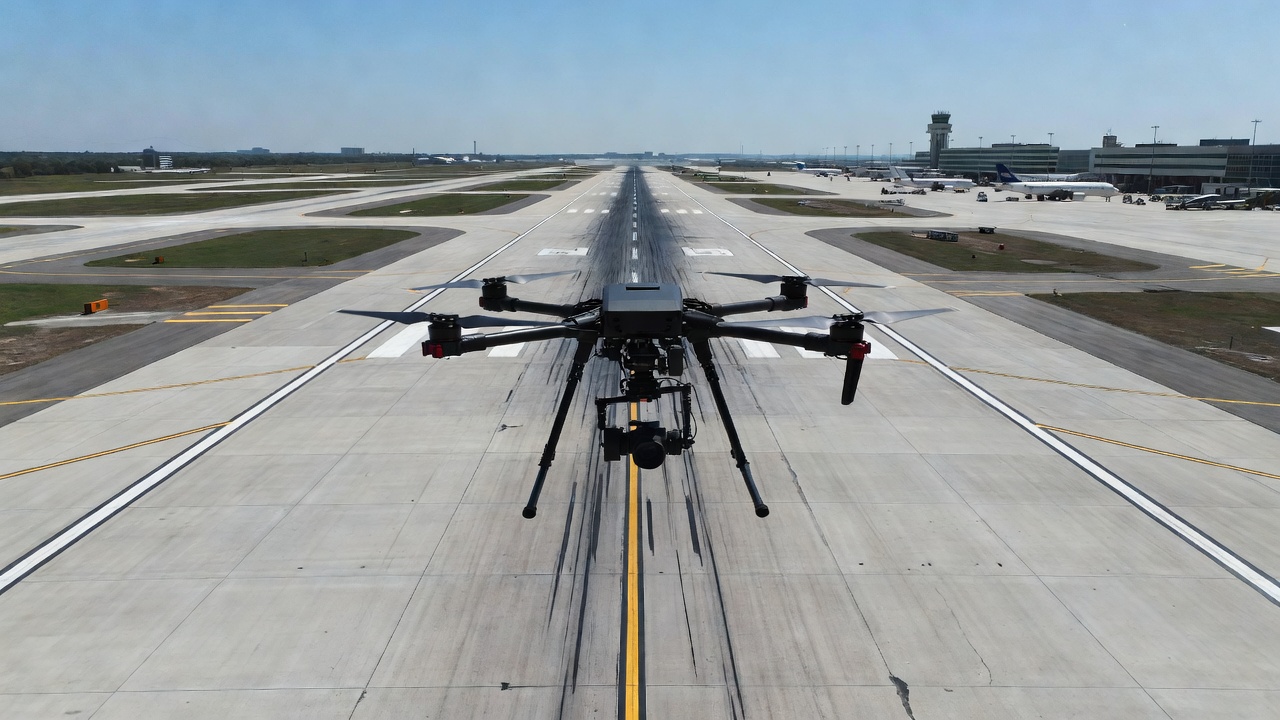
For infrastructure inspection and drone surveying, EXIF is the primary vehicle for transporting geospatial and technical metadata from the point of capture through the processing pipeline. Every drone image, whether from a DJI Phantom, Mavic, Matrice, Autel EVO, Skydio X10, or custom camera payload, embeds EXIF data that records exactly where, when, how, and from what altitude each photograph was taken. This data is the foundation for photo geotagging, photogrammetric reconstruction, orthomosaic generation, and automated inspection analysis as implemented in platforms like TarmacView.
The EXIF standard is one of three dominant metadata schemas in digital imaging, alongside IPTC (International Press Telecommunications Council, focused on descriptive and copyright metadata for news and publishing) and XMP (Extensible Metadata Platform, an XML-based framework for embedding custom metadata namespaces). EXIF is unique in its precision and structure for technical camera and GPS data, while XMP extends EXIF’s capabilities with manufacturer-specific tags, a distinction critical for drone photogrammetry workflows.
GPS Tags in EXIF, Latitude, Longitude, Altitude, and Timestamp
The GPS IFD (Image File Directory) is arguably the most important section of EXIF for infrastructure inspection applications. Identified by the tag 0x8825 within IFD0, the GPS IFD contains a structured set of sub-tags that encode the geographic position, altitude, heading, speed, and timestamp of the image capture. The CIPA DC-008 standard defines these tags in Section 9 (GPS Tags) with rigorous encoding rules that ensure interoperability across devices and software platforms.
GPSLatitude (tag 0x0002) and GPSLongitude (tag 0x0004) are stored as three RATIONAL values representing degrees, minutes, and seconds, each encoded as a 32-bit numerator/denominator pair. For example, latitude 25° 45’ 30.5" N is stored as [25/1, 45/1, 305/10], or in rational form [25.000000, 45.000000, 30.500000]. The companion tags GPSLatitudeRef (0x0001) and GPSLongitudeRef (0x0003) are single ASCII characters, “N” or “S” and “E” or “W” respectively, specifying the hemisphere. The GPSMapDatum tag (0x0012) records the geodetic reference system, for virtually all consumer and prosumer drones, this is “WGS-84” (World Geodetic System 1984).
GPSAltitude (tag 0x0006) is stored as a single RATIONAL value representing meters above or below the WGS84 ellipsoid. GPSAltitudeRef (0x0005) is a single BYTE value, 0 for above sea level, 1 for below sea level. The critical distinction that many users misunderstand is that GPS altitude is not elevation above mean sea level (MSL) and not height above ground level (AGL). GPS altitude is the height above the mathematical reference ellipsoid (WGS84), which can differ from local mean sea level by 20 to 100 meters depending on the geoid separation (also called the geoid undulation) at the capture location. For example, in Denver, Colorado (USA), the WGS84 ellipsoid is approximately 16 meters below the local geoid (NAVD88), so a GPS altitude reading of 1,600 m corresponds to an MSL elevation of roughly 1,584 m. This distinction is documented in ICAO Annex 14 requirements for aerodrome elevation surveying and in ISO 19111 for coordinate reference system definitions.
| GPS EXIF Tag | Tag ID (Hex) | Data Type | Description |
|---|---|---|---|
| GPSLatitudeRef | 0x0001 | ASCII(2) | “N” or “S”, northern or southern hemisphere |
| GPSLatitude | 0x0002 | RATIONAL(3) | Degrees, minutes, seconds as rational values |
| GPSLongitudeRef | 0x0003 | ASCII(2) | “E” or “W”, eastern or western hemisphere |
| GPSLongitude | 0x0004 | RATIONAL(3) | Degrees, minutes, seconds as rational values |
| GPSAltitudeRef | 0x0005 | BYTE | 0 = above sea level, 1 = below sea level |
| GPSAltitude | 0x0006 | RATIONAL | Height in meters above WGS84 reference ellipsoid |
| GPSTimeStamp | 0x0007 | RATIONAL(3) | UTC time (hours, minutes, seconds) of the GPS fix |
| GPSDateStamp | 0x001D | ASCII(11) | UTC date string: “YYYY:MM:DD” |
| GPSSpeedRef | 0x000C | ASCII(2) | “K” for km/h, “M” for mph, “N” for knots |
| GPSSpeed | 0x000D | RATIONAL | Speed over ground in units specified by GPSSpeedRef |
| GPSTrackRef | 0x000E | ASCII(2) | “T” for true north, “M” for magnetic north |
| GPSTrack | 0x000F | RATIONAL | Direction of travel in degrees clockwise from north |
| GPSImgDirectionRef | 0x0010 | ASCII(2) | “T” or “M” for image direction reference |
| GPSImgDirection | 0x0011 | RATIONAL | Direction the camera is pointing in degrees |
| GPSMapDatum | 0x0012 | ASCII | Geodetic datum, typically “WGS-84” |
| GPSHPositioningError | 0x001F | RATIONAL | Horizontal dilution of precision (HDOP) in meters |
GPSTimeStamp (0x0007) stores the UTC time of the GPS fix as three RATIONAL values (hours, minutes, seconds), while GPSDateStamp (0x001D) stores the UTC date as an 11-character ASCII string in the format “YYYY:MM:DD”. Together, these provide the GPS timestamp, distinct from the EXIF DateTimeOriginal tag (0x9003 in ExifIFD), which records the camera’s internal clock time when the shutter was pressed. The GPS timestamp originates from the satellite atomic clocks and is far more reliable for precise temporal ordering of inspection images, particularly when surveying across time zone boundaries or daylight saving transitions.
The GPSTrack tag (0x000F) records the direction of travel at the moment of capture, measured in degrees clockwise from true north (or magnetic north as indicated by GPSTrackRef). The GPSImgDirection tag (0x0011) records the direction the camera is pointing, critically important for drone inspection where the camera gimbal may be oriented independently of the aircraft heading. For DJI drones flying standard nadir mapping missions, GPSImgDirection typically equals the aircraft heading, but for oblique inspection of bridge piers, building facades, or runway edges, the gimbal yaw direction provides the camera look angle essential for photogrammetric orientation estimation.
GPSHPositioningError (0x001F), added in EXIF 2.31, reports the estimated horizontal positioning error in meters. For RTK-equipped drones, this value can be 0.02-0.05 (2-5 cm), while for standard GPS/GLONASS receivers it ranges from 1.0 to 5.0 meters. This tag enables automated quality filtering during image selection for photogrammetric processing, images with GPSHPositioningError exceeding a configurable threshold can be flagged or excluded to maintain reconstruction accuracy.
Camera Orientation Tags, Roll, Pitch, Yaw, and the EXIF Orientation Enigma
The EXIF Orientation tag (tag 0x0112, located in IFD0) is one of the most frequently misinterpreted EXIF fields. It stores a single SHORT integer (1 through 8) describing the rotation and mirroring of the image pixel data relative to the camera sensor’s natural coordinate axes. The eight values defined in the EXIF standard are: 1 = normal (0° rotation), 2 = mirrored horizontally (flipped left-right), 3 = rotated 180°, 4 = mirrored vertically (flipped top-bottom), 5 = mirrored horizontally and rotated 270° clockwise, 6 = rotated 90° clockwise, 7 = mirrored horizontally and rotated 90° clockwise, 8 = rotated 270° clockwise. This tag enables cameras and smartphones to indicate how the image should be displayed for correct viewing, without physically rotating the pixel data, a significant performance optimization.
For drone inspection imagery, the Orientation tag is almost always 1 (normal), because drone cameras are mounted on stabilized gimbals that maintain the sensor in a fixed orientation relative to the horizon. However, the camera orientation that matters for geospatial analysis, the roll, pitch, and yaw angles of the camera optical axis, is NOT stored in the standard EXIF IFD. Instead, this data is written by drone manufacturers into proprietary XMP namespaces that extend the EXIF structure.
DJI drones write camera orientation into the XMP namespace http://www.dji.com/drone-dji/1.0/ with the tags GimbalPitchDegree, GimbalRollDegree, and GimbalYawDegree. These represent the gimbal’s orientation relative to a local-level coordinate system: pitch is positive when the camera tilts upward from nadir (90° = forward horizon, -90° = backward horizon), roll is rotation around the forward axis (positive = right side down), and yaw is the compass heading of the camera (0° = north, clockwise positive). For nadir mapping missions, the gimbal pitch is typically -90° (straight down), gimbal roll is 0°, and gimbal yaw equals the aircraft heading.
DJI also writes FlightPitchDegree, FlightRollDegree, and FlightYawDegree, the attitude of the aircraft fuselage itself, which differs from the gimbal orientation when the gimbal is actively compensating for aircraft motion. During a standard mapping mission, the flight controller maintains the gimbal at the commanded angle while the aircraft may pitch forward during forward flight (typically 2-8° at mapping speeds of 5-15 m/s). Photogrammetry software such as Pix4Dmapper, Agisoft Metashape, and OpenDroneMap uses the gimbal orientation (not the flight attitude) as the initial camera orientation estimate for bundle adjustment, because the gimbal represents the actual camera optical axis.
Autel drones store orientation differently. The XMP namespace for Autel telemetry includes <Camera:Pitch> and <Camera:Yaw> tags, but roll is typically not recorded. Autel’s orientation values use a different sign convention than DJI, positive pitch means the camera is tilted downward (toward nadir), which is the opposite convention from DJI. This sign convention difference is a known source of configuration errors when processing mixed-manufacturer drone datasets.
Skydio drones, particularly the X10 series, embed camera orientation in the XMP namespace with CameraOrientation tags that follow the photogrammetric convention (Omega, Phi, Kappa or Yaw, Pitch, Roll depending on firmware version). Skydio’s metadata also includes camera calibration intrinsics (focal length, principal point, lens distortion coefficients) directly in the image file, crucial for photogrammetric processing without a separate calibration step.
For photogrammetric software that does not have native support for manufacturer-specific XMP tags, the initial camera orientation is typically estimated from the GPS track alone, comparing sequential image positions to derive the direction of travel and assuming the camera is pointed toward nadir (straight down). This assumption works adequately for standard grid mapping missions but fails for oblique inspection flights where the camera is intentionally pointed at 15-45° from vertical. In those cases, the gimbal orientation from XMP provides the only reliable initial estimate, and its absence can cause photogrammetric alignment failures.
The omega, phi, kappa (ω, φ, κ) rotation convention commonly used in photogrammetry differs from the yaw, pitch, roll convention used in aviation and drone metadata. Omega (ω) is rotation around the X-axis (equivalent to roll), phi (φ) is rotation around the Y-axis (pitch), and kappa (κ) is rotation around the Z-axis (yaw). Conversion between the two conventions requires careful sign handling and coordinate axis mapping, a task that photogrammetry software handles internally but that engineers should understand when validating camera orientation metadata.
EXIF Extraction Tools, exiftool, Python PIL, piexif, and exifread
ExifTool, The Industry Standard
ExifTool, created and maintained by Phil Harvey, is the most comprehensive and widely used tool for reading, writing, and editing EXIF metadata across all operating systems (Windows, macOS, Linux). Written in Perl and distributed as a standalone executable, ExifTool supports over 11,000 tag names across EXIF, IPTC, XMP, ICC Profile, and hundreds of manufacturer-specific MakerNote namespaces. The tool is free and open source under the GNU General Public License (GPL) version 1 or Artistic License.
The fundamental command structure for reading metadata is:
exiftool -TAGNAME -TAGNAME filename
To extract GPS coordinates from a single drone image in decimal format:
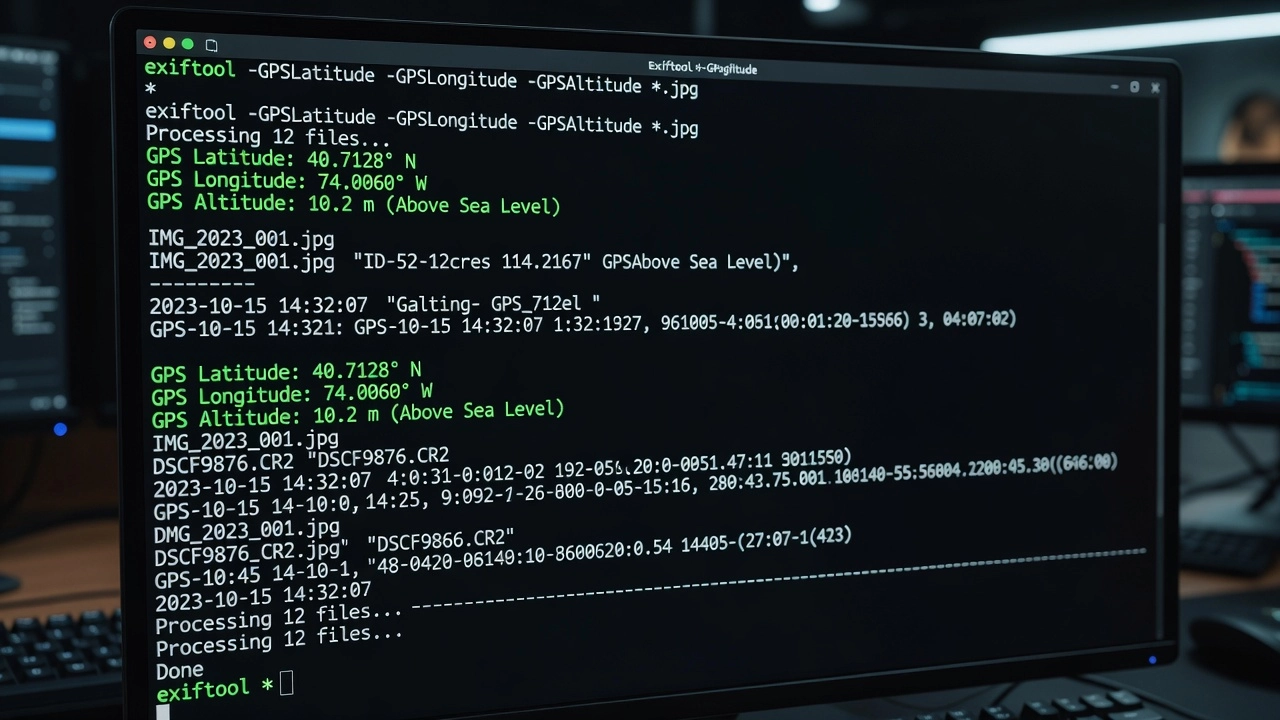
exiftool -GPSLatitude -GPSLongitude -GPSAltitude -n DJI_0042.JPG
The -n flag outputs numerical values in decimal degrees, meters, and seconds rather than the default degrees-minutes-seconds formatted strings, essential for programmatic consumption. Without -n, GPS latitude outputs as “25 deg 45’ 30.50"” which requires parsing.
Batch extraction to CSV for an entire survey flight:
exiftool -csv -GPSLatitude -GPSLongitude -GPSAltitude -GPSHPositioningError -DateTimeOriginal -RelativeAltitude -GimbalPitchDegree -GimbalYawDegree -n *.JPG > survey_metadata.csv
This produces a structured table with one row per image and columns for each requested tag. The -csv flag includes a header row, making the output directly importable into GIS software, spreadsheet applications, or database systems.
Extracting all DJI-specific telemetry:
exiftool -XMP-drone-dji:all DJI_0042.JPG
This filters output to only tags within the DJI XMP namespace, showing fields like AbsoluteAltitude, RelativeAltitude, GimbalPitchDegree, GimbalRollDegree, GimbalYawDegree, FlightPitchDegree, FlightYawDegree, FlightXSpeed, FlightYSpeed, FlightZSpeed, CalibratedFocalLength, and CalibratedOpticalCenterX/Y.
Writing GPS coordinates to an image that lacks them:
exiftool -GPSLatitude=25.759167 -GPSLatitudeRef=N -GPSLongitude=-80.152778 -GPSLongitudeRef=W -GPSAltitude=12.5 -GPSAltitudeRef=0 image.jpg
This is the operation used to geotag images when GPS was unavailable at capture time, for example, when using a GPX track log from the drone controller to retroactively assign positions to each photo based on synchronized timestamps.
Python PIL (Pillow)
The Python Imaging Library (PIL) fork Pillow provides native EXIF reading capability through the _getexif() method of the Image object. While the method name is marked as protected (underscore prefix), it is widely used and stable across Pillow versions 8.0 through current (10.x). The method returns a dictionary mapping numeric EXIF tag IDs to their values:
from PIL import Image
from PIL.ExifTags import TAGS, GPSTAGS

img = Image.open('drone_photo.JPG')
exif_data = img._getexif()
if exif_data:
    for tag_id, value in exif_data.items():
        tag_name = TAGS.get(tag_id, tag_id)
        print(f"{tag_name}: {value}")
Extracting GPS coordinates specifically requires accessing the GPSInfo sub-IFD (tag ID 34853, defined as TAGS.get(34853) = “GPSInfo”), then processing the sub-dictionary using GPSTAGS for human-readable key names:
gps_info = exif_data.get(34853, {})
for k, v in gps_info.items():
    print(f"{GPSTAGS.get(k, k)}: {v}")
Pillow returns GPS coordinates as tuples of rational values (numerator, denominator), requiring conversion to decimal degrees for use in mapping and photogrammetry applications. The conversion formula:
decimal_degrees = degrees + minutes/60 + seconds/3600
Pillow provides the ExifTags module with enum classes (PIL.ExifTags.Base, PIL.ExifTags.GPS, PIL.ExifTags.IFD, etc.) that offer human-readable constants for the most commonly used EXIF tag IDs, reducing the need for hard-coded tag ID values in production code.
piexif
Piexif is a pure Python library (no external dependencies) specifically designed for reading and writing EXIF metadata. It provides a cleaner API than Pillow for EXIF manipulation and is particularly well-suited for writing GPS tags to images:
import piexif
from piexif import GPSIFD, TAGS

def to_deg(value):
    d, m, s = float(value[:2]), float(value[2:4]), float(value[4:])
    return [(d, 1), (m, 1), (int(s * 1000), 1000)]

# Read EXIF
exif_dict = piexif.load('image.JPG')
gps = exif_dict.get('GPS', {})
lat = gps.get(GPSIFD.GPSLatitude)
lng = gps.get(GPSIFD.GPSLongitude)

# Write GPS to image
exif_dict['GPS'][GPSIFD.GPSLatitude] = to_deg("2545.500")
exif_dict['GPS'][GPSIFD.GPSLatitudeRef] = 'N'
exif_bytes = piexif.dump(exif_dict)
piexif.insert(exif_bytes, 'image.JPG')
Piexif also supports thumbnail extraction, MakerNote handling, and bulk metadata removal (useful for privacy-focused processing where GPS data must be stripped from published images).
exifread
Exifread (via PyPI package exifread) is a Python library specialized in EXIF extraction with support for a wider range of manufacturer-specific MakerNote tags than Pillow. Unlike Pillow’s limited MakerNote support, exifread can decode Canon, Nikon, DJI, and other proprietary metadata formats into structured fields:
import exifread

with open('drone_photo.JPG', 'rb') as f:
    tags = exifread.process_file(f, details=True)
    for tag, value in tags.items():
        if 'GPS' in tag:
            print(f"{tag}: {value}")
Exifread returns all tags (including GPS, EXIF, MakerNote, and thumbnail) as a flat dictionary with fully qualified key names like 'GPS GPSLatitude', 'EXIF DateTimeOriginal', and 'MakerNote Unknown'. The details=True parameter attempts to decode MakerNote vendor data into structured fields rather than leaving them as raw byte arrays.
EXIF in Drone Imagery, DJI, Autel, Skydio, GoPro, and Custom Platforms
DJI Drones
DJI is the dominant manufacturer in the drone inspection market, and its metadata implementation is the most comprehensive and the most thoroughly documented (albeit through reverse engineering and community effort rather than official publication). DJI writes EXIF data plus an extensive set of XMP namespace tags under the URI http://www.dji.com/drone-dji/1.0/.
The complete set of DJI XMP tags in current firmware (as of 2022+ for Mavic 3, Matrice 30/300/350, Phantom 4 RTK) includes: GpsLatitude and GpsLongitude (decimal degrees, eight decimal places), AbsoluteAltitude (barometric MSL estimate in meters, floating-point), RelativeAltitude (height above takeoff point in meters), GimbalPitchDegree, GimbalRollDegree, GimbalYawDegree (gimbal orientation angles), FlightPitchDegree, FlightRollDegree, FlightYawDegree (aircraft attitude), FlightXSpeed, FlightYSpeed, FlightZSpeed (velocity components in m/s in local-body coordinates), CalibratedFocalLength (in mm, accounting for lens manufacturing variation), CalibratedOpticalCenterX and CalibratedOpticalCenterY (principal point offset in pixels), LensDistortionParam (a series of distortion coefficients for lens correction in photogrammetry), and SelfData (a serialized binary block containing additional telemetry, accelerometer, gyroscope, magnetometer, and satellite information).
One critical DJI-specific issue is the dual GPS recording phenomenon. DJI writes GPS coordinates into the standard EXIF GPS tags AND into the XMP drone-dji namespace, but the values can differ. The EXIF GPS tags typically use the GPS receiver’s reported position at the moment of shutter activation. The XMP GpsLatitude/GpsLongitude tags sometimes use a smoothed or averaged position from the flight controller. Differences of 0.5 to 2 meters between the two are common and are a known source of confusion in photogrammetry when software defaults to one source or the other.
For DJI thermal cameras (Mavic 3T, Matrice 30T, Zenmuse H20T, Zenmuse XT2), the RJPEG (radiometric JPEG) files contain additional EXIF and XMP data for thermal parameters, emissivity setting, reflected temperature, atmospheric temperature, object distance, and relative humidity. These tags are essential for converting raw thermal pixel values to calibrated temperature readings and are stored in the APP4 marker segment (not APP1 where normal EXIF resides).
Autel Drones
Autel (owned by Shenzhen Autel Intelligent Technology) uses a different metadata structure. The XMP namespace http://www.autel.com/autel/1.0/ contains tags including GPSLatitude, GPSLongitude, Altitude (ASL, above sea level), Pitch, Yaw, and Roll (though roll is inconsistently recorded across firmware versions). Autel’s altitude is stored as ASL by default, meaning the value represents estimated elevation above mean sea level rather than height above ground level. For mapping applications, users must know the ground elevation at the takeoff point to derive AGL.
Autel images also lack the extensive lens calibration data that DJI provides in XMP. The CalibratedFocalLength, CalibratedOpticalCenter, and LensDistortionParam tags are absent, which means photogrammetry software must estimate camera calibration parameters during bundle adjustment, requiring more ground control points and potentially reducing accuracy for high-precision inspection applications.
Skydio Drones
Skydio (acquired by Amazon in 2023) takes a different approach: the X10 and earlier S2+ models prioritize surveying-grade metadata. The XMP namespace includes GPSXYAccuracy and GPSZAccuracy tags reporting the estimated horizontal and vertical accuracy of the GPS fix, enabling automated quality screening. Skydio also exposes CameraIntrinsics data including focal length (pixels), principal point (cx, cy), and lens distortion parameters directly in the image metadata, reducing the time required for self-calibration during photogrammetric processing. For the X10 RTK model, companion .MRK files provide carrier-phase GNSS observations for post-processing kinematic (PPK) corrections, bypassing the limited accuracy of embedded EXIF GPS entirely.
GoPro and Custom Camera Platforms
GoPro cameras are frequently used for close-range inspection and FPV bridge inspection. GoPro’s EXIF implementation is standard (camera metadata plus GPS for Hero models), but the GPS accuracy (typically 3-8 meters) and the fisheye lens distortion (severe, GoPro’s HyperSmooth stabilization crops and warps images) make GoPro imagery challenging for photogrammetry without extensive calibration. GoPro stores GPS in standard EXIF tags only (no manufacturer XMP extensions), limiting telemetry to latitude, longitude, altitude, and timestamp.
Custom camera payloads (Sony α-series, Canon EOS combined with external GNSS loggers) rely entirely on standard EXIF tags for GPS data. Without manufacturer XMP extensions, the photogrammetry pipeline must estimate camera orientation from image feature matching alone, feasible for good texture conditions but prone to failure for low-texture surfaces (fresh asphalt, uniform concrete) common in pavement inspection.
EXIF Reliability and Accuracy, Limitations and Quality Assurance
EXIF GPS accuracy depends on the GNSS receiver hardware, satellite constellation availability, atmospheric conditions, and signal environment at the time of capture. Consumer drones (DJI Mini series, Mavic Air, Phantom 4 non-RTK) use single-frequency (L1) GPS/GLONASS receivers with 2-5 meter horizontal accuracy under optimal conditions and 5-10 meters or worse in urban canyons, near reflective structures, or under heavy tree cover. This accuracy is documented by DJI specifications and confirmed by independent testing published in photogrammetry literature.
RTK (Real-Time Kinematic) equipped drones (DJI Phantom 4 RTK, Mavic 3 RTK, Matrice 350 RTK) achieve 2-5 cm horizontal accuracy by receiving carrier-phase corrections from a base station via radio link (typically 900 MHz or 4G LTE). The GPSHPositioningError tag in EXIF reports the estimated horizontal error, for RTK-mode captures, this value should be below 0.05 m (5 cm). PPK (Post-Processed Kinematic) workflows collect raw GNSS observations onboard and apply corrections after the flight, achieving similar accuracy without the requirement for a real-time datalink.
Altitude accuracy is significantly worse than horizontal accuracy for all non-RTK drones. The EXIF GPSAltitude references the WGS84 ellipsoid, and standalone GPS vertical accuracy is typically 1.5 to 2 times worse than horizontal accuracy (3-15 meters vs 2-5 meters). DJI’s barometric altitude (AbsoluteAltitude in XMP) is more stable short-term but drifts with weather pressure changes. Studies comparing barometric altitude to surveyed ground control points report absolute errors of 5-30 meters depending on atmospheric conditions on the survey day.
| Accuracy Factor | Consumer GPS (non-RTK) | RTK/PPK | Vertical (non-RTK) | Vertical (RTK/PPK) |
|---|---|---|---|---|
| Horizontal (RMS) | 2-5 m | 0.02-0.05 m | 3-15 m | 0.05-0.10 m |
| Typical EXIF tag | GPSLatitude/Longitude | GPSLatitude/Longitude | GPSAltitude | GPSAltitude |
| GPSHPositioningError | 1.0-5.0 m | 0.02-0.05 m | N/A | N/A |
| Multipath effect | Significant | Corrected by RTK | Significant | Moderate |
| Drone examples | Mavic Air, Mini, Phantom 4 | P4 RTK, M3 RTK, M350 | All non-RTK | P4 RTK, M350 RTK |
GPS spoofing and signal interference are growing concerns for drone inspection operations in sensitive or contested environments. Spoofing attacks inject false GPS signals that cause the drone to record incorrect coordinates in EXIF metadata without the pilot’s awareness. Research from the University of Luxembourg and the FAA’s UAS Detection and Mitigation program has demonstrated that standard EXIF GPS tags provide no cryptographic authentication, the coordinates recorded are whatever the receiver computes from received satellite signals. For high-security airport environments, verification of EXIF GPS against independent sources (base station corrections, ground control points) is essential.
Timestamp reliability is generally high because GPS time (recorded in GPSTimeStamp and GPSDateStamp) originates from the satellite constellation’s atomic clocks, accurate to nanoseconds. However, the EXIF DateTimeOriginal tag uses the drone’s internal system clock, which can drift 1-10 seconds per flight hour, especially in cold conditions where crystal oscillators shift in frequency. For inspection workflows requiring precise temporal correlation between images and external sensor data, the GPS timestamp should be preferred over the camera clock timestamp.
EXIF in TarmacView Analyze and Survey Workflows
TarmacView ingests EXIF metadata from drone inspection images as the primary data source for geolocating pavement distress, ordering inspection photos chronologically, and initializing photogrammetric reconstruction. The processing pipeline reads the GPS IFD (tags 0x0001-0x001F) to extract latitude, longitude, altitude, and GPS timestamp for every image in an inspection survey.
Photo geotagging in TarmacView maps each inspection image to its capture location on an interactive pavement map. The geographic coordinates from EXIF GPSLatitude and GPSLongitude place a photo icon at the precise position where the drone was when the shutter fired. For pavement inspection, this enables inspectors to click any location on the orthomosaic and instantly retrieve all photos that cover that area, filtered by date, flight, and inspection type.
Altitude-based GSD computation uses the GPSAltitude (or RelativeAltitude from DJI XMP) combined with the camera’s calibrated focal length and sensor dimensions to compute Ground Sample Distance, the real-world dimension represented by each pixel. GSD is the critical parameter for accurate crack width measurement: a GSD of 1 mm/pixel allows reliable detection of cracks 0.3-3 mm wide, while a GSD of 3 mm/pixel cannot resolve sub-millimeter cracks. TarmacView uses EXIF altitude to compute GSD per-image and flags any images where altitude exceeded planned tolerances (indicating potential GSD inconsistency across the survey).
Temporal ordering uses the EXIF DateTimeOriginal or GPS timestamp to sequence photos chronologically, enabling automated flight path reconstruction and coverage verification. Gaps in the timestamp sequence indicate missed photos (trigger failure, card write error) that may leave coverage gaps in the orthomosaic.
Camera calibration data from EXIF (FocalLength, FocalLengthIn35mmFilm, and manufacturer XMP tags including CalibratedFocalLength, CalibratedOpticalCenterX/Y, LensDistortionParam) initializes the photogrammetric camera model. Providing accurate initial values for focal length and principal point reduces bundle adjustment convergence time and improves the likelihood of correct alignment, particularly for surveys with limited texture or challenging lighting conditions.
EXIF GPS for Photo Geotagging
Photo geotagging is the process of assigning geographic coordinates (latitude, longitude, and optionally altitude) to digital photographs. When a camera or drone has a GPS receiver, the coordinates are automatically written into the EXIF GPS IFD at the moment of capture. For images that lack GPS data, geotagging can be performed post-hoc by matching the image timestamp against an external GPS track log (GPX, NMEA, or proprietary format).
The standard geotagging workflow for drone inspection imagery proceeds as follows:
Step 1, GPS track acquisition: During the flight, the drone controller or a separate GPS logger records position and time at 1-10 Hz. Standalone GPS loggers (Garmin, Bad Elf, Dual) provide higher accuracy than most drone GPS receivers and are used for precision inspection workflows.
Step 2, Timestamp synchronization: The image timestamps (from EXIF DateTimeOriginal) must be synchronized with the GPS track timestamps to within sub-second accuracy. Clock drift between the camera clock and the GPS clock is corrected by computing the offset between the camera’s GPS timestamp (if available) and the DateTimeOriginal.
Step 3, Coordinate interpolation: Since GPS track points are recorded at a higher frequency than images (e.g., 5 Hz GPS vs 0.5 Hz shutter trigger), the exact camera position at each shutter event is interpolated from the nearest GPS track points. Linear interpolation between the GPS fix immediately before and after the image timestamp is standard, though cubic spline interpolation better captures the curved flight path during turns.
Step 4, EXIF writing: The interpolated coordinates, altitude, and heading are written into the image file’s EXIF GPS IFD using ExifTool or programmatic libraries (piexif, Pillow). The original file should be preserved with a backup copy before any EXIF modifications.
Tools specialized for photo geotagging include GeoSetter (Windows, freeware, supports EXIF and XMP writing with Google Earth preview), GPicSync (cross-platform, Python-based), Geosetter by Friedemann Schmidt, and the exiftool command-line approach with format template files for GPX-to-EXIF conversion. For batch geotagging in inspection pipelines, custom scripts using the tools described in Section 4 provide the most control and integration capability.
Missing or Corrupted EXIF, Causes, Detection, and Remediation
EXIF data can be missing, truncated, or corrupted through several mechanisms:
File conversion and re-saving: Many image processing tools (image viewers, web uploaders, screenshot tools) save images without preserving EXIF metadata. The worst offenders are web browsers, messaging apps (WhatsApp, Telegram compress and strip metadata), and social media platforms. Running a drone JPG through any of these pipelines destroys the EXIF GPS data permanently unless a backup exists.
Incomplete file transfer: Corrupted file transfers (interrupted USB, unstable SD card, network drops during cloud upload) can truncate the JPEG APP1 segment where EXIF resides, resulting in an image file that opens but lacks any metadata. The size difference between the original file and the transferred file is the telltale sign.
GPS-denied environments: When the drone cannot obtain a GPS fix (inside tunnels, under dense canopy, between tall buildings, on pre-flight warmup), the EXIF GPS IFD may be absent entirely or populated with zero coordinates or the last known position (a DJI-specific behavior that can go undetected if images are not manually reviewed).
SD card and file system errors: SD card corruption, improper ejection, and power loss during write operations can result in partial EXIF data. A common symptom is a valid DateTimeOriginal but absent GPS IFD, the camera metadata was written before the GPS fix was obtained.
Detection methods include: file size comparison (original drone JPGs are typically 3-15 MB, EXIF-stripped versions are 0.5-2 MB smaller), EXIF tool quick check (exiftool -GPSLatitude -GPSLongitude -DateTimeOriginal *.JPG showing empty fields), and automated quality control scripts that flag images missing GPS data during pipeline ingestion.
Remediation depends on available backup data:
- GPX track log from the drone controller or separate GPS logger, the most common recovery path. Synchronize timestamps and interpolate coordinates as described in Section 8.
- SRT (subtitle) files from DJI drones contain time-synchronized GPS and telemetry for every photo and frame, stored as subtitle track files alongside the images on the SD card. Extract with
exiftool -p gpx.fmtor dedicated scripts. - Flight log parsers (DatCon, CsvView/Python scripts for DJI logs) decode the encrypted flight log (.txt or .DAT files) to recover the full flight telemetry including camera trigger events.
- Manual coordinate entry for small inspection projects, via ExifTool direct writing, with coordinates measured from known ground reference points visible in the image.
- Photogrammetric estimation, in the absence of any GPS data, software can still reconstruct image positions from feature matching alone, but the model lacks absolute georeferencing and must be anchored using minimum 3-5 ground control points.
EXIF vs Sidecar Metadata, XMP, GPX, and Proprietary Formats
The choice between embedded EXIF and external sidecar metadata has significant implications for inspection data management.
Embedded EXIF is stored within the image file itself (JPEG APP1, TIFF IFD, or DNG metadata blocks). The critical advantage is self-containment, the image and its metadata are a single file that cannot be decoupled. Copying, archiving, or transferring the image automatically includes its geolocation, timestamp, camera settings, and manufacturer telemetry. The disadvantage is that EXIF has limited extensibility, the standard defines a fixed set of tag identifiers and value types, and manufacturer extensions (MakerNotes, XMP namespaces) occupy space within the constrained JPEG segment (typically 64-128 KB for EXIF data, though XMP can extend beyond the APP1 segment).
XMP (Extensible Metadata Platform) is an XML-based metadata framework developed by Adobe and standardized as ISO 16684-1:2012. XMP can be embedded in the image file (within an XMP packet in the APP1 segment, after the EXIF data) OR stored as a sidecar file with the same filename and a .xmp extension, for example, DJI_0042.JPG and DJI_0042.xmp. Sidecar files avoid modifying the original image file (preserving digital signature integrity and preventing accidental corruptions during writing), but create a coupling dependency, if the sidecar file is lost, renamed, or separated from the image, the metadata is gone.
GPX (GPS Exchange Format) is an XML-based sidecar format for GPS track data only. GPX files store waypoints, tracks, and routes with timestamps. For inspection, GPX is the preferred format for GPS track logs because it is universally supported by GIS software, GPS mapping tools, and ExifTool. The workflow is: fly the mission, record GPX track from the controller or GPS logger, then geotag images post-flight by matching timestamps.
Proprietary sidecar formats include: DJI’s SRT files (GPS + telemetry subtitles embedded in video files or stored alongside photos in a subtitles folder), MRK files (Skydio PPK correction data), LOG files (flight logs in DJI’s encrypted format required third-party decryption tools like DatCon), and manufacturer-specific formats for thermal camera calibration files. Organizations with long-term inspection archives should plan for sidecar file management procedures that ensure synchronization between images and their metadata companions, a non-trivial challenge when thousands of images are being transferred, copied, and processed across multiple systems.
| Feature | Embedded EXIF | XMP Sidecar | GPX Track |
|---|---|---|---|
| Self-contained | Yes, metadata in image file | No, separate file couples to image | No, separate track for all images |
| Size limit | ~64 KB (EXIF in APP1) | Practical limit ~1 MB | Variable, 10-100 KB per flight hour |
| Extensibility | Fixed tag set, manufacturer MakerNotes | Fully extensible via XML namespaces | Fixed GPS schema only |
| Writing difficulty | Moderate, must modify binary data | Easy, XML file operations | Easy, XML (GPX 1.1) |
| Risk factor | File corruption during write | Sidecar separation/loss | Timestamp sync accuracy |
| Suitability for inspection | Primary metadata carrier | Extended telemetry backup | GPS track archive |
The recommended practice for drone inspection operations is a hybrid approach: (1) preserve the original EXIF data in every image file as the primary metadata carrier, (2) maintain a backup GPX track log from the flight controller for GPS recovery, (3) archive DJI SRT files or equivalent manufacturer telemetry alongside images, and (4) for long-term archival, generate a consolidated metadata file (CSV, GeoJSON, or database) extracted from all sources to ensure metadata survivability independent of file format compatibility.
References
- Camera and Imaging Products Association. CIPA DC-008-Translation-2019, Exchangeable Image File Format for Digital Still Cameras: Exif Version 2.32. 2019.
- International Civil Aviation Organization. Annex 14, Aerodromes, Volume I: Aerodrome Design and Operations. 8th Edition, 2018.
- International Organization for Standardization. ISO 19111:2019, Geographic Information, Referencing by Coordinates.
- International Organization for Standardization. ISO 16684-1:2012, Graphic Technology, Extensible Metadata Platform (XMP), Part 1: Data Model, Serialization and Core Properties.
- Harvey, P. ExifTool by Phil Harvey. https://exiftool.org/ , accessed November 2025.
- Fast.io. How to Extract GPS, Altitude, and Flight Data from Drone Photos. https://fast.io/resources/drone-photo-metadata-extraction-gps-altitude-flight-data/ , 2024.
- DJI. DJI P4 RTK / M3 RTK / M350 RTK User Manuals. 2023-2024.
- Skydio. Skydio X10 Metadata Specification. 2024.
- Pix4D. Understanding EXIF, XMP, and Geotagging for Drone Images. Pix4D Support Knowledge Base, 2024.
- Agisoft. Metashape Professional Edition User Manual, Camera Calibration and Image Metadata Chapter. 2024.
- Federal Aviation Administration. Advisory Circular 150/5370-17, Airside Use of Unmanned Aircraft Systems (UAS). 2023.
- ASTM International. ASTM D5340-19, Standard Test Method for Airport Pavement Condition Index Surveys.
- The OpenDroneMap Community. ODM Metadata Extraction and Image Georeferencing Documentation. 2024.
Frequently Asked Questions
- What is EXIF metadata and what does it contain?
- EXIF (Exchangeable Image File Format) is a standardized metadata format embedded in digital image files. It contains camera make and model, exposure settings (aperture, shutter speed, ISO, focal length), date and time stamp, image dimensions, thumbnail, and, most importantly for inspection, GPS coordinates (latitude, longitude, altitude), camera orientation, and copyright information. The standard is maintained by CIPA/JEITA and is universally supported across digital cameras, smartphones, and drones.
- How does EXIF store GPS coordinates and altitude?
- EXIF stores GPS latitude and longitude in separate tags (GPSLatitude, GPSLatitudeRef, GPSLongitude, GPSLongitudeRef) using three rational values for degrees, minutes, and seconds, plus a reference tag indicating North/South and East/West. GPSAltitude stores height above the WGS84 ellipsoid as a rational value in meters, with GPSAltitudeRef indicating above (0) or below (1) sea level. GPS timestamp records the UTC time of the GPS fix, and GPSTrack stores direction of travel, essential for aerial survey mapping and photo geotagging.
- How can I extract EXIF metadata from drone images?
- The most powerful tool for EXIF extraction is ExifTool (exiftool.org), a free, open-source command-line utility supporting hundreds of image formats. To extract GPS data from a drone photo, use: exiftool -GPSLatitude -GPSLongitude -GPSAltitude -n photo.JPG. For batch extraction to CSV: exiftool -csv -GPSLatitude -GPSLongitude -GPSAltitude -RelativeAltitude -DateTimeOriginal -n *.JPG > metadata.csv. Python libraries like Pillow (PIL), piexif, and exifread also provide programmatic access to EXIF metadata for automated inspection pipelines.
- What is the difference between EXIF GPS and manufacturer-specific metadata?
- Standard EXIF GPS tags (GPSLatitude, GPSLongitude, GPSAltitude) store basic positioning data in a manufacturer-agnostic format. Drone manufacturers like DJI, Autel, and Skydio also write proprietary XMP namespace tags with richer telemetry. DJI writes over 30 custom fields including AbsoluteAltitude (barometric MSL estimate), RelativeAltitude (height above takeoff), GimbalPitchDegree, FlightYawDegree, and lens calibration parameters. For photogrammetry, standard EXIF provides geolocation while manufacturer XMP provides the camera orientation and calibration data needed for 3D reconstruction.
- What is the EXIF orientation tag and how does it work?
- The EXIF Orientation tag (tag 0x0112, IFD0) stores the rotational orientation and mirroring of an image relative to the camera sensor's natural axis. Defined values range from 1 (normal) through 8 (rotated 270° and mirrored), enabling devices to display images correctly without physically rotating the pixel data. For drone imagery, the orientation tag is typically 1 (normal) since the camera is fixed on a gimbal, but drone-specific XMP tags (GimbalYawDegree, GimbalPitchDegree, GimbalRollDegree) provide the precise angular orientation needed for georeferencing.
- How reliable is EXIF GPS data from drones?
- EXIF GPS accuracy varies significantly by drone hardware and environmental conditions. Consumer drones without RTK typically achieve 2-5 meter horizontal accuracy from single-frequency GPS/GLONASS receivers. RTK (Real-Time Kinematic) equipped drones achieve 2-5 cm horizontal accuracy. Altitude data is less reliable, barometric pressure-based absolute altitude can drift 10-30 meters, while GPS altitude references the WGS84 ellipsoid, not mean sea level. For precision inspection, ground control points (GCPs) verify EXIF geolocation accuracy, and photogrammetric bundle adjustment refines camera positions during processing.
- What happens if EXIF metadata is missing or corrupted?
- Missing or corrupted EXIF metadata prevents automatic geolocation and photogrammetric reconstruction. Common causes include: (1) file conversion/re-saving that strips metadata, (2) GPS-denied environments where the drone cannot obtain a satellite fix, (3) EXIF truncation during file transfer, and (4) software that rewrites files without preserving EXIF. Restoration requires writing GPS coordinates from external sources, DJI SRT telemetry files, GPX track logs from the drone controller, or manually entered coordinates. Tools like ExifTool and GeoSetter can write EXIF GPS data from external sources to restore geotagging capability.
- What is the difference between EXIF and XMP sidecar metadata?
- EXIF metadata is embedded directly within the image file (JPEG APP1 segment or TIFF IFD), making it self-contained and portable. XMP (Extensible Metadata Platform) is an XML-based metadata format that can be embedded in the file or stored externally as a sidecar file with the same filename and .xmp extension. XMP can represent richer metadata than EXIF, including hierarchical tags, ratings, and custom namespaces. Sidecar files avoid rewriting the original image but create a dependency risk if separated. Drone manufacturers often use both: EXIF for standard camera/GPS data and XMP for custom flight telemetry.
- How is EXIF used in TarmacView for runway inspection?
- TarmacView reads EXIF GPS tags (latitude, longitude, altitude) from drone inspection images to automatically geolocate every photo on an interactive map of the airport pavement. This geotagging enables: (1) automatic correlation of detected pavement distress (cracks, spalling, raveling) with precise geographic positions, (2) generation of georeferenced orthomosaics from overlapping images, (3) temporal comparison of repeated surveys for change detection at specific pavement locations, and (4) ICAO-compliant Pavement Condition Index (PCI) reporting with geospatial context. EXIF timestamps order inspection photos chronologically for flight path reconstruction and survey coverage validation.